




🎮
Giant Crusher: Destroy & Grow Game
Loading Game...
Giant Crusher: Destroy & Grow Game
📝 Description
Giant Crusher: Destroy & Grow lets you control a small robot and turn it into a powerful giant wrecking machine. Smash crates and buildings with your hammer, collect coins, and explore 12 colorful districts.
Upgrade your power, attack speed, coin earnings, movement, and critical hits as you progress. Defeat district bosses, unlock 17 evolutions, recruit helpers, collect drones, and complete missions for rewards.
Earn daily rewards and use rebirth to gain a permanent power boost. Keep upgrading your crusher, grow stronger, and continue your destruction adventure across the different districts.
Upgrade your power, attack speed, coin earnings, movement, and critical hits as you progress. Defeat district bosses, unlock 17 evolutions, recruit helpers, collect drones, and complete missions for rewards.
Earn daily rewards and use rebirth to gain a permanent power boost. Keep upgrading your crusher, grow stronger, and continue your destruction adventure across the different districts.
📋 Instructions
Desktop
• WASD or Arrow Keys - Move your robot.
• Mouse Click - Click a target to approach it and auto-attack.
• Upgrade Buttons - Spend collected coins on upgrades.
• Settings - Pause the game, change language, adjust music and effects, or use fullscreen.
Mobile
• Touch Joystick - Drag the on-screen joystick to move.
• Tap Target - Tap a target to approach it and auto-attack.
• Upgrade Buttons - Tap the upgrade buttons to spend coins.
• Settings - Pause the game, change language, adjust music and effects, or use fullscreen.
• WASD or Arrow Keys - Move your robot.
• Mouse Click - Click a target to approach it and auto-attack.
• Upgrade Buttons - Spend collected coins on upgrades.
• Settings - Pause the game, change language, adjust music and effects, or use fullscreen.
Mobile
• Touch Joystick - Drag the on-screen joystick to move.
• Tap Target - Tap a target to approach it and auto-attack.
• Upgrade Buttons - Tap the upgrade buttons to spend coins.
• Settings - Pause the game, change language, adjust music and effects, or use fullscreen.
🎯 Categories
🎮 You May Like🎮 More Games
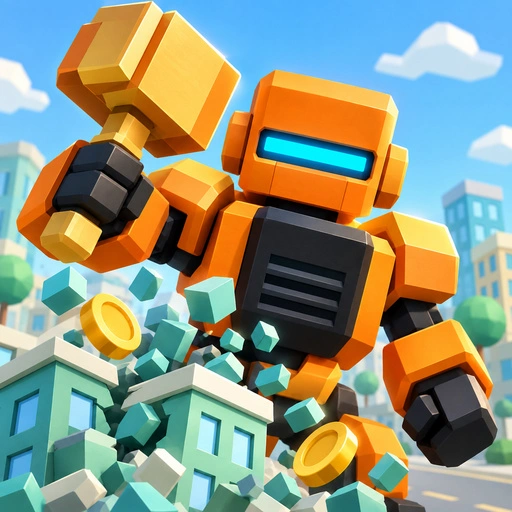
Giant Crusher: Destroy & Grow Game

James Gun Game
Brawl Stars Coloring Game

Archer Super Hero Game
Timberman Game
Miami Car Racing Game
Koxo.io Game
Stickjet Challenge Game
Red and Green 6 Color Rain Game

Pretty Makeup ALYSSA FACE ART Game

Drift Car Simulator Game
Crystal Craash Game
Draw War Game
Brawl Stars Battle Game
Bus Driving Master 3D Game
Bucketball Game

Head Soccerr 2022 Game

GEM MAHJONG Game
Baby Cat Daycare Game

Billiard Challenge Game
Wolfoo Escape Game
Formula Car Circuit Racing Game
Cute Pony Memory Quest Game
FormWise Game
water sort solve puzzles Game
Batrix Game
Apex Racer Game
SnakeRush Game
WANTED Game
Speed Master Cars Game
Draw Paint Spray Game
Cute Pony Hidden Stars Game
![Peggle [FLASH] Game](https://gamerewardz.com/thumbs/peggle-flash-game_2.webp)
Peggle [FLASH] Game
Heroic Barrage Easy Game
Dream Puppy Spot The Differences Game
Wolfoos Kindergarten Game
Block Tree Game

Win Magic & Devil Game

Ronaldo Ball Rush 2026 Game
Car Drive Simulator Game
Spiny Ninja Game
Music Night Battle: Rhythm Game
Baby Cat Daycare Game
Billiard Challenge Game
Wolfoo Escape Game
Formula Car Circuit Racing Game
Cute Pony Memory Quest Game
FormWise Game
water sort solve puzzles Game
Batrix Game
Apex Racer Game
SnakeRush Game
WANTED Game
Speed Master Cars Game
Draw Paint Spray Game
Cute Pony Hidden Stars Game
Peggle [FLASH] Game
Heroic Barrage Easy Game
Dream Puppy Spot The Differences Game
Wolfoos Kindergarten Game
Block Tree Game
Win Magic & Devil Game
Ronaldo Ball Rush 2026 Game
Car Drive Simulator Game
Spiny Ninja Game