
































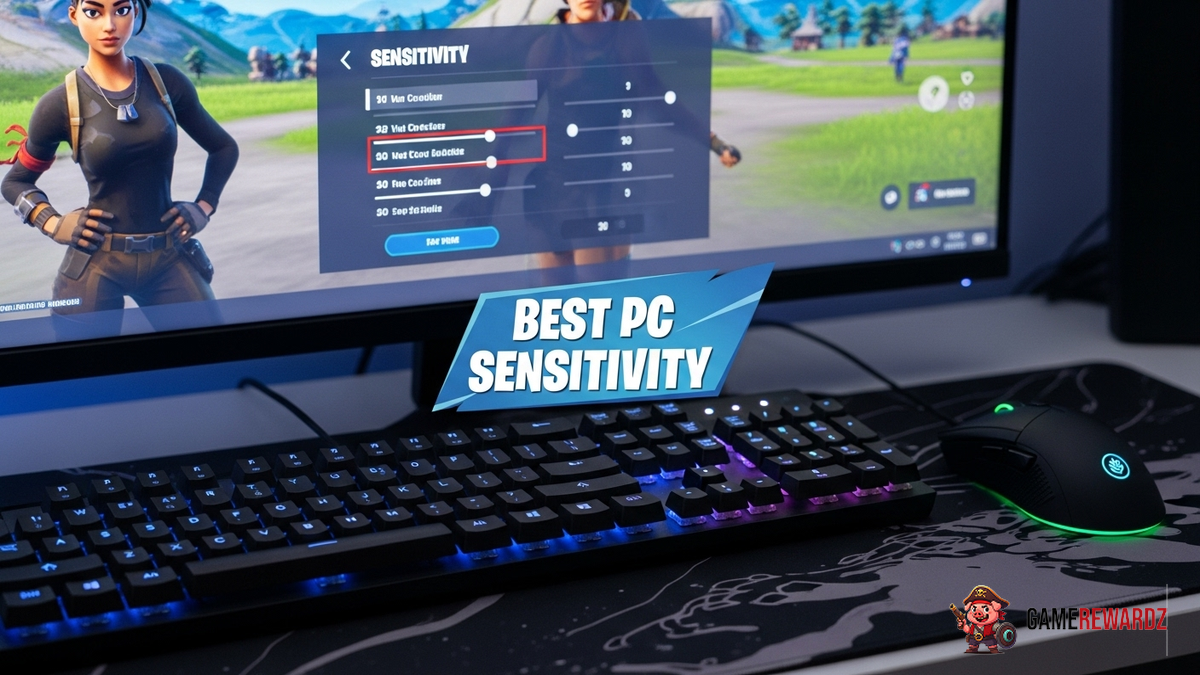
Okay, let's talk Fortnite sensitivity. I've tweaked mine so many times, I swear my brain is half-Fortnite code now. Finding that sweet spot? It’s like unlocking a superpower. Too high, you're spinning in circles like a confused cat. Too low, and you're basically glued to the ground. No in between, right? Wrong.
The frustrating thing is, there's no magic number. What works for Ninja might feel totally off for you. It all boils down to personal preference, your setup, and even your play style. Are you a build-battle extraordinaire or a sneaky sniper? That matters. But stick with me; I’m here to help you dial in what works best for you.
Finding Your Perfect Fortnite Sensitivity Settings for PC
First things first, let’s break down the key settings we're messing with. Because blindly fiddling with numbers? That's a recipe for disaster. We're talking about X and Y axis sensitivity (horizontal and vertical look speed), targeting sensitivity (when you're aiming down sights), and scope sensitivity (when you're fully zoomed in).
Now, here's the thing. A lot of guides will tell you to start with a specific number. I say, experiment! But do it smartly. Don't just randomly crank everything to 11 and jump into a match. That's chaos.
Instead, head into Creative mode. Find a nice, quiet corner, and start with your X and Y axis sensitivity. A good starting point is around 5-7%. Then, slowly adjust it up or down until you can comfortably do a 180-degree turn with a flick of your wrist. This internal link to Roblox event shows similar techniques in a different game. This is your baseline for quick reactions. Too slow, and you're a sitting duck. Too fast, and you're missing shots. Simple, right?
But. Here's where it gets nuanced. Your targeting and scope sensitivities should be lower than your X and Y. Think about it: when you're aiming, you want precision. Jerky movements are the enemy. I usually run mine around 3-5%, but again, find what feels natural. Try lining up shots on stationary targets, then gradually introduce movement.
DPI: The Silent Killer (or Savior)
Wait, before we go any further, let's talk DPI (dots per inch) on your mouse. This is crucial! Your DPI is essentially the resolution of your mouse. A higher DPI means your cursor moves further with less physical movement. The lower your DPI, the more you have to physically move your mouse. This external link offers a variety of exciting 2 player games that highlight the importance of mouse accuracy.
Most pros recommend a DPI between 400 and 800. Why? Because it gives you more control and precision. Higher DPIs can feel twitchy and difficult to manage, especially for aiming. I personally stick to 800 DPI. It's the sweet spot for me.
You might be wondering if you can adjust your mouse in-game. Yes, you can. Mouse acceleration can really mess with muscle memory though. Turn it off. This feature automatically adjusts your cursor speed based on how quickly you move your mouse. Sounds good in theory, but in practice, it makes it incredibly difficult to develop consistent aim.
Advanced Sensitivity Settings: Going Deeper
Fortnite offers even more granular control over your sensitivity. We're talking about things like building sensitivity and editing sensitivity. These are specific to those actions, and they can significantly impact your speed and efficiency.
A higher building sensitivity (maybe 1.2-1.5x your normal X and Y) can help you quickly place structures in build battles. This internal link to Minecraft's new update offers similar gameplay mechanics. Editing sensitivity is similar; a slightly higher setting can speed up your editing, allowing you to make quicker adjustments to your builds. But be careful – too high, and you'll be accidentally deleting walls left and right.
The key here is to experiment and find what feels comfortable for your play style. There’s no one-size-fits-all answer, which is what makes this so endlessly fascinating (and frustrating!).
Also, consider your mousepad! Yeah, sounds silly, but it matters. A smooth, consistent surface is essential for accurate tracking. Ditch that old, worn-out pad and invest in something decent. Your aim will thank you.
FAQ: Dialing In Your Fortnite Sensitivity
How do I know if my Fortnite sensitivity is too high?
Good question! A telltale sign is overshooting your targets. If you find yourself consistently moving past where you want to aim, your sensitivity is probably too high. Try lowering it incrementally (small adjustments!) and see if that improves your accuracy. Also, pay attention to your mouse movements. If you're making tiny, jerky adjustments, that's another clue. Smooth, controlled movements are what you're aiming for. Remember, the goal is precision, not speed.
Why does my sensitivity feel different in different games?
Ah, the bane of every gamer's existence! Different games use different sensitivity scales and calculations. What feels perfect in Fortnite might feel totally off in, say, Overwatch. There are online tools that can help you convert sensitivities between games, but they're not always perfect. The best approach is to find a sensitivity that feels comfortable in each game individually. It's a pain, I know, but it's worth it for consistent performance.
Is there really a "best" Fortnite sensitivity for PC?
Nope! And anyone who tells you there is is selling snake oil. As I said before, there is no magic bullet or ultimate Fortnite sensitivity setting. It's all about what feels right for you, your setup, and your play style. The important thing is to experiment, be patient, and don't be afraid to adjust your settings as you improve. What works for you today might not work for you tomorrow. That's the beauty (and the frustration) of it all.
What DPI should I use with my Fortnite Sensitivity Settings for PC?
As touched on earlier, a DPI between 400 and 800 is ideal for most players. It’s all about control. If you’re currently using a much higher DPI (like 1600 or 3200), try lowering it and see if it improves your accuracy. You might be surprised at the difference it makes!














![Peggle [FLASH] Game](https://gamerewardz.com/thumbs/peggle-flash-game_2.webp)








