
































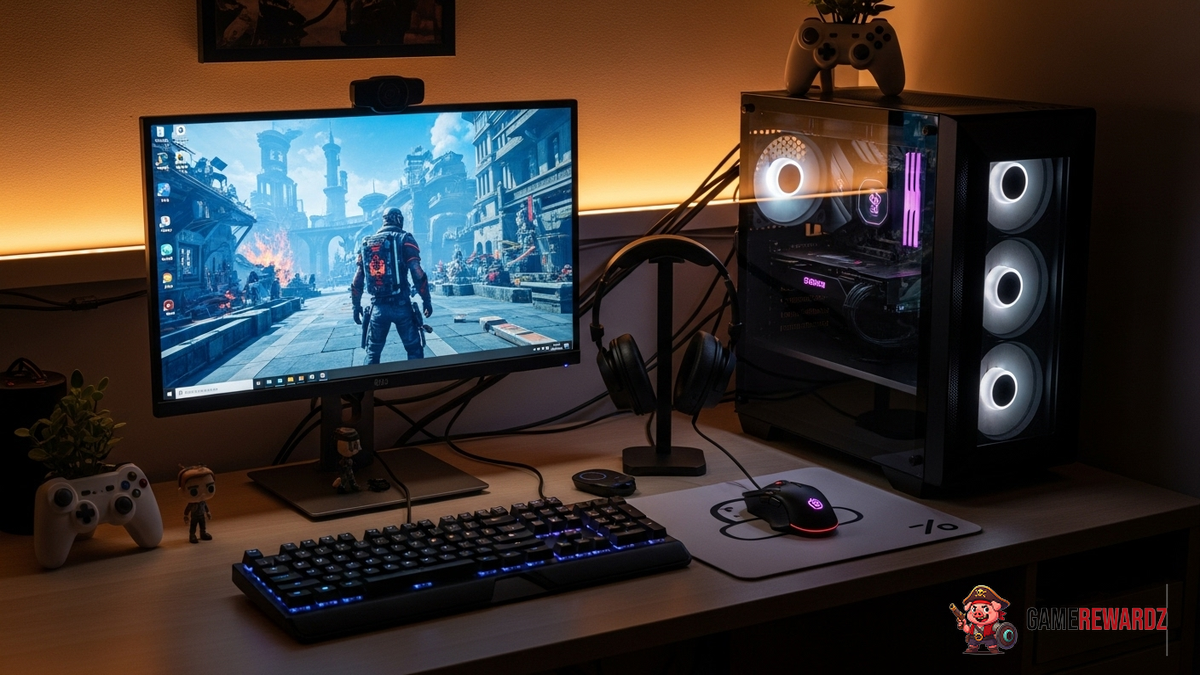
Okay, let's be real. We've all been there – staring longingly at those drool-worthy gaming setups that look like they cost more than our cars. But here's the thing: you absolutely CAN build an awesome gaming rig without emptying your bank account. In fact, I'd argue that the challenge of doing it on a budget is half the fun! Where to begin, though? That's the real question.
I remember back in college, I was rocking a setup that was basically held together with duct tape and sheer willpower. But you know what? It was my setup, and I had some epic gaming sessions on it. So, don't let the lack of top-tier gear discourage you. Let's dive into the world of building the best gaming setup under budget.
The Brains of the Operation: Choosing a Budget-Friendly PC
The heart of any gaming setup is, of course, the PC itself. You might be tempted to build your own from scratch (and kudos to you if you do!), but honestly, for budget-conscious gamers, buying a pre-built PC is often the way to go. Why? Because you can often snag some surprisingly good deals, especially if you're willing to go for a slightly older model or refurbished option. Consider this: you can find great deals at electronics stores that update their stock with new models. Keep your eye out for models that include the essentials: processor, RAM, and dedicated graphic card.
Think about what you actually need. Are you planning on playing the latest AAA titles at max settings? Or are you more into indie games and esports titles? If it's the latter, you can get away with a much less powerful (and less expensive) machine. Look for something with a decent processor (like an AMD Ryzen 5 or an Intel Core i5), at least 8GB of RAM (16GB is preferable, but you can always upgrade later), and a dedicated graphics card (an NVIDIA GeForce GTX 1650 or AMD Radeon RX 6500 XT will do the trick for many games). Need more insights into gaming? Consider exploring some great gaming experiences here!
Pro tip: Don't underestimate the power of used or refurbished PCs! You can often find incredible deals on machines that are still perfectly capable of running modern games. Just make sure to do your research and buy from a reputable seller with a good return policy.
Peripherals That Won't Break the Bank
Okay, so you've got your PC sorted. Now it's time to think about the stuff you actually interact with: your monitor, keyboard, mouse, and headset. Again, you don't need to go overboard here. There are plenty of affordable options that will get the job done without sacrificing too much in terms of performance or comfort.
For a monitor, look for something with a 1080p resolution and a refresh rate of at least 60Hz. A higher refresh rate (like 144Hz) will give you a smoother gaming experience, but it's not essential if you're on a tight budget. I've been using a basic 1080p monitor for years, and it's been perfectly fine for most games.
When it comes to keyboards and mice, don't feel like you need to shell out hundreds of dollars for a fancy mechanical keyboard or a gaming mouse with a million buttons. A simple, reliable keyboard and mouse combo will work just fine. And you can always upgrade later if you feel like you need something more advanced. I like to spend a little more on a mouse because, well, my hands are picky, but even then, you don't need to go crazy. And maybe, just maybe, you'll find your dream keyboard second hand!
And don't forget about audio! A decent gaming headset is essential for immersive gameplay and clear communication with your teammates. There are plenty of affordable headsets out there that offer good sound quality and a comfortable fit.
Ergonomics and Environment
Now, this is an area where you really shouldn't skimp, even when aiming for the best gaming setup under budget. A comfortable chair and a well-organized desk can make a huge difference in your overall gaming experience – and your long-term health! I can personally confirm it. Take it from me: it will improve not just your gameplay, but your life in general.
You don't need to buy a fancy gaming chair (although those can be nice!). A comfortable office chair will do the trick just as well. Look for something with good lumbar support and adjustable height. As for your desk, make sure it's big enough to accommodate all your gear and that it's at a comfortable height for you.
Think about cable management, too. A cluttered desk can be distracting and uncomfortable. Invest in some cable ties or a cable management tray to keep things tidy. Trust me, your future self will thank you! Speaking of thanks, be sure to check out this article for some awesome Valorant insights!
Lighting and Ambiance: Setting the Mood
Okay, this might seem like a luxury, but trust me: good lighting can make a HUGE difference in your gaming experience. Not only does it make everything look better, but it can also help reduce eye strain and improve your focus.
You don't need to go crazy with RGB lighting (although that can be fun!). A simple desk lamp or some strategically placed LED strip lights can do wonders. Experiment with different colors and brightness levels to find what works best for you. I personally like to use a warm, soft light for gaming, as it's less harsh on the eyes.
And don't forget about the overall ambiance of your gaming space. Add some personal touches that make you feel comfortable and inspired. Maybe a cool poster, a plant, or even just a few of your favorite collectibles. The goal is to create a space that you actually want to spend time in. I find that hanging posters of some of my favorite characters in shooter games does the trick!
FAQ: Budget Gaming Setup Q&A
What's the most important part of a budget gaming setup?
Honestly, it's about balance. You can't cheap out everywhere. Prioritize the components that directly impact your gaming experience: the PC itself, the monitor, and the mouse. You can save money on things like the keyboard and headset, at least initially. Remember, you can always upgrade later as your budget allows.
How can I save money on a gaming PC?
Consider buying a pre-built PC instead of building your own, especially if you're new to PC gaming. Look for deals on older models or refurbished PCs. And don't be afraid to shop around and compare prices from different retailers.
Is it worth buying used gaming gear?
Absolutely! You can often find incredible deals on used monitors, keyboards, mice, and headsets. Just make sure to do your research and buy from a reputable seller with a good return policy. Always test the gear before you buy it, if possible.
How much should I spend on a budget gaming setup?
This depends entirely on your individual needs and preferences, but I'd say you can build a decent gaming setup for around $500-$800. It's definitely possible to spend less, but you might have to make some compromises in terms of performance or quality.
What kind of games can I play on a budget gaming setup?
You might be surprised! Even with a relatively modest setup, you can still play a wide variety of games, including esports titles like League of Legends and Valorant, as well as many indie games and older AAA titles. You might not be able to max out the settings on the latest games, but you can still have a great gaming experience.














![Peggle [FLASH] Game](https://gamerewardz.com/thumbs/peggle-flash-game_2.webp)








