
































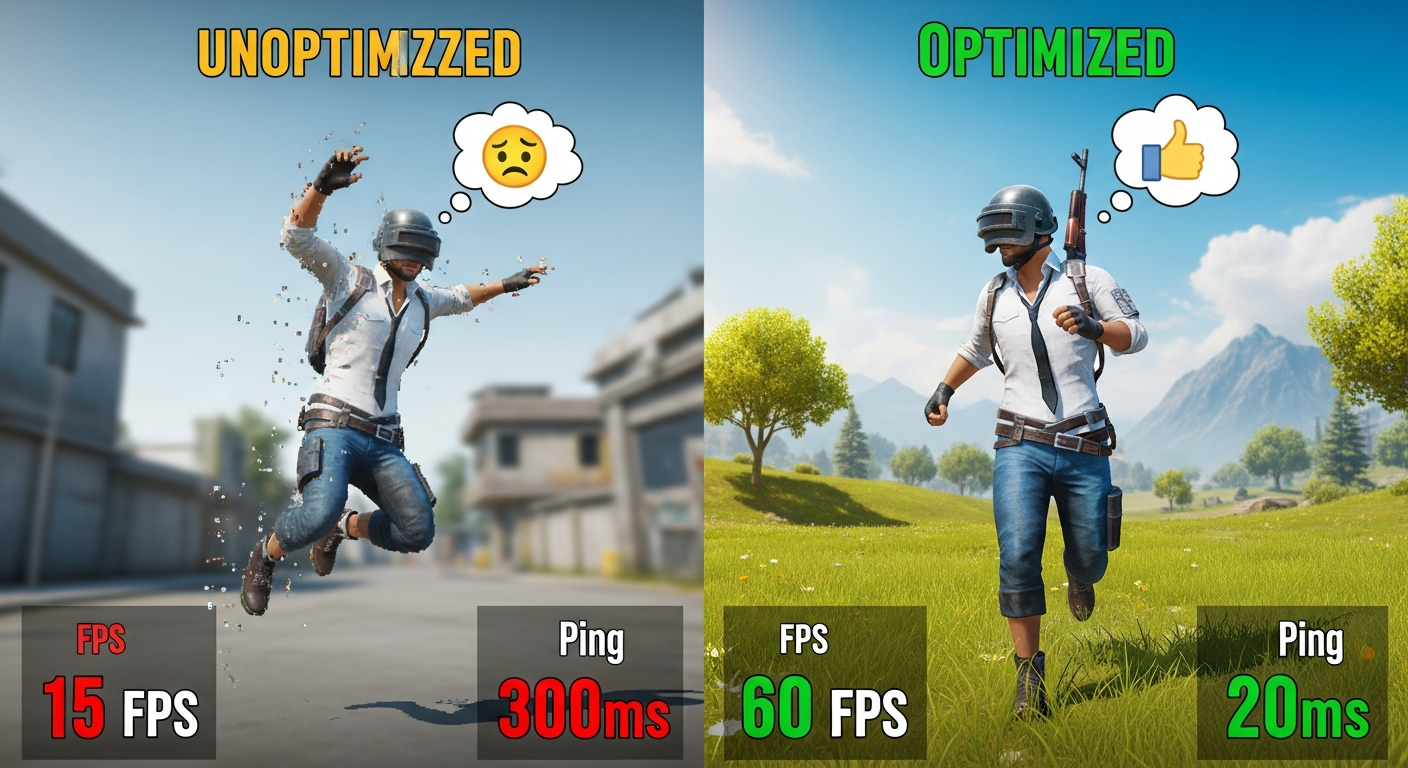
Improve BGMI FPS: The Ultimate Optimization Guide Okay, let's talk BGMI FPS. If you're anything like me, that little number in the corner of the screen is the bane of your existence. One minute you're smoothly navigating Pochinki, the next you're stuttering so badly you'd swear you're watching a slideshow. Frustrating, right? Especially when you're trying to clutch that Chicken Dinner. I initially thought it was just my ancient phone, but after some digging, I realized there's a lot you can do to boost your BGMI FPS, no matter your device. And honestly, some of it's stuff you'd never think of. So, buckle up. We're going deep into the optimization rabbit hole. We’ll also sprinkle in some external links for some helpful resources along the way! Improve BGMI FPS: It's More Than Just Graphics Settings Most guides will tell you to just lower your graphics settings. And yeah, that helps. But it's like treating a broken leg with a band-aid. You need to dig deeper! For example, did you know that your phone's background processes can tank your FPS more than almost anything else? All those apps running in the background, constantly checking for updates, draining your resources... it's a silent FPS killer. Close 'em down! Force stop those you don't need. Be ruthless. Your frames will thank you. Think of them as little soldiers fighting for your victory, and background apps are the enemy spies! But here's the thing: even after you've cleared your background apps, you might still be struggling. Why? Because BGMI, like any complex game, is a resource hog. It's constantly loading textures, calculating physics, and processing network data. This takes processing power, RAM, and a stable internet connection. If any of those things are lacking, your FPS will suffer. I've got to admit, this part fascinates me. It's like watching a perfectly choreographed dance between hardware and software, and when one dancer misses a step, the whole thing falls apart. The Secret Weapon: GFX Tools (Use with Caution!) Okay, this is where things get interesting. GFX tools are third-party apps that allow you to tweak BGMI's graphics settings beyond what the game normally allows. We are talking about extreme adjustments here. Things like unlocking higher frame rates, reducing resolution even further, and disabling shadows altogether. The results can be pretty dramatic. I’ve seen phones go from a stuttering mess to a smooth 60 FPS with the right GFX tool. But there's a catch (isn't there always?). Using GFX tools is technically against BGMI's terms of service. Krafton has been cracking down on accounts that use them, so there's a risk of getting banned. It's a risk you have to weigh. Personally, I've used them on test accounts to see the performance difference, but I wouldn't recommend using them on your main account unless you're willing to take the risk. Think of it like this: it's like using performance-enhancing drugs in sports. You might get an edge, but you could also get caught. Optimizing Your Device for Peak Performance Let's talk about your phone itself. Is it running the latest version of its operating system? Outdated software can lead to performance issues. Is your storage full? A cluttered phone is a slow phone. Delete those old photos, uninstall apps you don't use, and clear your cache regularly. This is the equivalent of giving your phone a spring cleaning. Another pro tip: consider using a game booster app. These apps automatically optimize your phone's settings for gaming, such as clearing RAM, disabling notifications, and prioritizing network traffic. Some phones even have these built-in! Here's the thing, though: not all game boosters are created equal. Some are more effective than others, and some are just outright scams. Do your research before downloading one. Network Tweaks That Actually Matter A stable internet connection is just as important as having a powerful phone. If your ping is constantly spiking, your FPS will suffer, no matter how good your device is. Make sure you're connected to a stable Wi-Fi network, or, if you're using mobile data, ensure you have a strong signal. Closing background apps on your phone is another thing that helps a lot in reducing the background data consumption. A good trick is to check your internet speed using sites like Speedtest. Also, consider using a VPN. I know, I know, VPNs are usually associated with privacy and security, but they can also improve your gaming performance by routing your connection through a less congested server. Experiment with different VPN servers to see which one gives you the lowest ping. Just remember to choose a reputable VPN provider, like some listed on sites like CrazyGames, as free VPNs often come with their own set of problems. Oh, and one more thing: avoid playing BGMI during peak hours when the network is likely to be congested. This is like trying to drive on the highway during rush hour. Everything slows down. Also, make sure that the [Internal Link Pool 1] is as fast as it can be. This affects how well your games will perform. And consider [Internal Link Pool 2] if you want to try out any different games. FAQ: Your BGMI FPS Questions Answered How do I know if my BGMI FPS is actually bad? A good rule of thumb is that anything below 30 FPS is considered unplayable. You'll experience noticeable lag and stuttering. 30-60 FPS is playable, but not ideal. Above 60 FPS is where you start to get a smooth, responsive experience. Most high-end phones can achieve 60 FPS in BGMI with the right settings. Also, keep an eye on your frame time. Frame time is the amount of time it takes for your phone to render each frame. High frame times indicate that your phone is struggling to keep up, even if your FPS is relatively high. This is one of the most important factors about BGMI FPS. Why does my BGMI FPS drop suddenly during intense fights? This is usually due to a sudden spike in processing demands. When you're in a firefight, your phone has to process a lot more data, such as bullet trajectories, player movements, and visual effects. If your phone can't handle the load, your FPS will drop. Try lowering your graphics settings even further, or closing any unnecessary apps running in the background. Is it worth buying a new phone just to improve my BGMI FPS? That depends on how serious you are about gaming. If you're a casual player, probably not. But if you're a competitive player who wants to climb the ranks, a new phone with a faster processor and more RAM can make a huge difference. Just make sure to do your research and choose a phone that's specifically designed for gaming. But also check all of the optimizations in this guide, first. Will rooting my Android phone improve BGMI FPS? Rooting your phone gives you more control over your device's settings, which could lead to improved performance. However, it's also a risky process that can void your warranty and potentially brick your phone. Unless you're a tech-savvy user, I wouldn't recommend it. Not to mention the potential security risks. And if you're on iOS, it's not even an option. It’s rarely worth the hassle these days.
Improve BGMI FPS: The Ultimate Optimization Guide
|
|

Baby Cat Daycare Game

Billiard Challenge Game

Wolfoo Escape Game

Formula Car Circuit Racing Game

Cute Pony Memory Quest Game

FormWise Game

water sort solve puzzles Game

Batrix Game

Apex Racer Game

SnakeRush Game

WANTED Game

Speed Master Cars Game

Draw Paint Spray Game

Cute Pony Hidden Stars Game
![Peggle [FLASH] Game](https://gamerewardz.com/thumbs/peggle-flash-game_2.webp)
Peggle [FLASH] Game

Heroic Barrage Easy Game

Dream Puppy Spot The Differences Game

Wolfoos Kindergarten Game

Block Tree Game

Win Magic & Devil Game

Ronaldo Ball Rush 2026 Game

Car Drive Simulator Game

Spiny Ninja Game
