
































Okay, let's talk BGMI. Specifically, let's talk about making it run smoother than butter on a hot skillet. Because honestly, what's more frustrating than lag when you're lining up the perfect headshot? Nothing, that's what.
I've been tweaking my BGMI settings for what feels like ages, experimenting with every possible combination. And I've stumbled upon some things that genuinely make a difference. Not just the obvious stuff either – we're talking deep dives into your phone's settings, little-known tweaks within the game itself. Stuff the pros probably already know, but aren't exactly shouting from the rooftops. So, if you're tired of choppy gameplay and want a real BGMI performance boost, stick around.
Unlocking Peak BGMI Performance: Beyond the Basics
Everyone tells you to lower your graphics settings, right? Yeah, that's a given. But that's just scratching the surface. We're talking about going full-on detective mode here, optimizing everything from your phone's background processes to the game's hidden configurations. I mean, who wants to settle for 'playable' when you can have 'silky smooth', am I right?
First things first: let's address the elephant in the room. Your phone. Is it actually up to the task? BGMI can be a resource hog, especially on older devices. But even if you're rocking a relatively new phone, there are things you can do to squeeze out every last drop of performance. Which brings me to my next point. BGMI secret tips to survive last zone – this might give you more insight to improve your gameplay.
Dive Deep: Advanced System Tweaks
Okay, this is where things get interesting. Most people don't realize how much background activity can impact your gaming performance. Think about it: your phone's constantly checking for updates, syncing data, running who-knows-what in the background. All that eats up resources that could be used for BGMI. The frustrating thing about this topic is, it varies wildly for each phone. The good news is, you can make changes.
Dive into your developer options (if you don't know how to enable them, a quick search will sort you out). There are a few key settings here that can make a real difference. For example, force GPU rendering can help offload some of the processing burden from your CPU to your GPU. But careful. Some people find this makes things worse. Experiment!
Another thing to consider: your phone's battery settings. Most phones have a power-saving mode that limits performance to extend battery life. Make sure this is disabled when you're gaming! You want your phone to be running at full throttle, even if it means sacrificing a bit of battery life.
One more thing, clear your cache regularly. Over time, apps accumulate temporary files that can slow things down. Clearing your cache can free up valuable storage space and improve performance. It’s like decluttering your digital space, and we could all use a little of that, right? cyberpunk battlex - explore if this helps you to improve your gameplay.
In-Game Settings: The Real Game Changers
Now, let's talk about the in-game settings. This is where you can really fine-tune your BGMI experience. Everyone says to lower your graphics, and for a good reason. But there's more to it than just choosing 'Low' or 'Medium'.
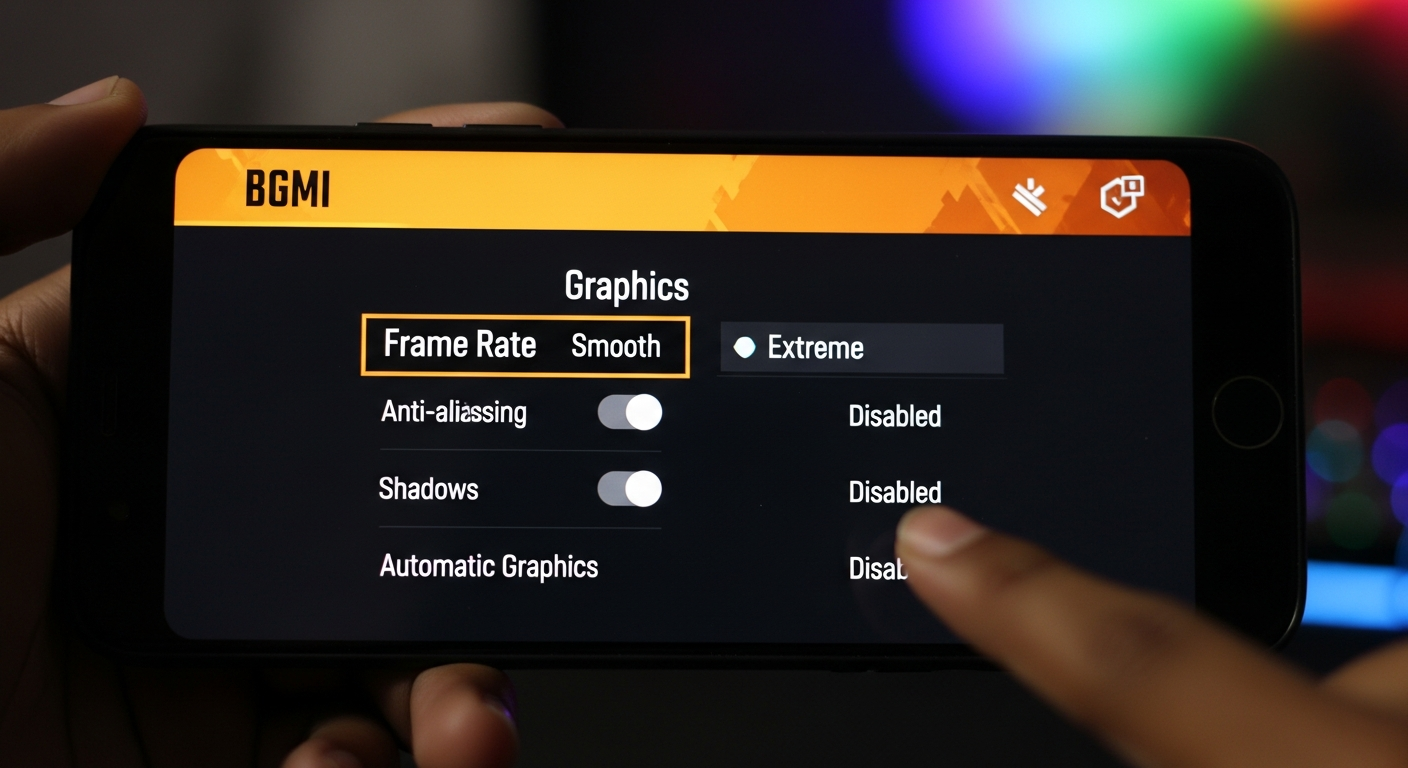
Pay close attention to your frame rate. A higher frame rate means smoother gameplay, but it also puts more strain on your phone. Experiment with different frame rate settings to find the sweet spot between performance and visual quality. For some devices a smooth ultra is achievable by using high end SOC's such as Snapdragon 8 gen 2 or Dimensity 9200+.
Shadows can also have a significant impact on performance. Try disabling them altogether, or at least setting them to 'Low'. Honestly, shadows don't add much to the gameplay experience, and they can really bog things down. And while you're at it, turn off anti-aliasing. It makes the game look a bit smoother, but it's not worth the performance hit.
One setting I've found that makes a surprising difference is the 'Effects' setting. This controls the visual effects for things like explosions and smoke grenades. Turning this down to 'Low' can free up a surprising amount of resources, especially during intense firefights. And think about it this way: less visual clutter means you can focus more on your enemies. Smart, right?
The Connectivity Factor: Ping is King
Let's not forget the importance of a stable internet connection. All the fancy settings in the world won't help if you're dealing with lag due to a poor connection. Make sure you're connected to a strong Wi-Fi network, or if you're using mobile data, ensure you have a good signal. Think about it this way, high ping ruins everything. Nothing will work.
Actually, that's not quite right. There's something even more interesting here: ping isn't just about your internet speed. It's about the distance between you and the game server. The further away you are, the higher your ping will be. This is why some players use VPNs to connect to servers closer to them. However, I am not advocating the use of VPNs (they can lead to bans and are against the rules), I'm just stating a fact.
Another thing to consider: the number of devices connected to your network. If you have multiple devices streaming videos or downloading files, that can impact your ping in BGMI. Try disconnecting some of those devices to free up bandwidth for your game.
FAQ: BGMI Performance Boost Questions Answered
How do I know if my phone is the problem, and not just the game?
Good question! The easiest way to test this is to try running other graphically demanding games or apps. If they also perform poorly, it's likely an issue with your phone's hardware or software. Also, compare your phone's specs to the minimum requirements for BGMI. If you're below those specs, it's probably time for an upgrade.
Why does my BGMI performance get worse after playing for a while?
This is a common issue, and it's often due to thermal throttling. When your phone gets too hot, it will automatically reduce its performance to prevent overheating. To combat this, try playing in a cooler environment, or use a phone cooler. I've got to admit, this part fascinates me: the way hardware acts to prevent the issues that come with running a phone for hours, constantly. If your device is overheating after a short gaming session, you may need to clean out your phone or get a new phone.
Will rooting my phone improve BGMI performance?
Rooting your phone gives you more control over its software, which theoretically could improve performance. But it's also risky. You could brick your phone, void your warranty, or even expose yourself to security vulnerabilities. Unless you're an experienced Android user, I wouldn't recommend it. A fresh install will always work as well.
What's the deal with GFX Tools? Do they really boost BGMI performance?
GFX Tools promise to unlock hidden graphics settings and boost performance. Some players swear by them, while others claim they're useless or even harmful. The truth is, it's a mixed bag. Some GFX Tools might work, but others could cause compatibility issues or even get you banned from the game. Use them at your own risk. If you are looking to enhance BGMI performance, you might want to consider purchasing a new phone that is optimized for mobile gaming.
So, there you have it. My deep dive into BGMI performance optimization. Remember, these are just tips and tricks, and what works for one person might not work for another. The key is to experiment and find what works best for you. And most importantly, have fun!














![Peggle [FLASH] Game](https://gamerewardz.com/thumbs/peggle-flash-game_2.webp)








