
































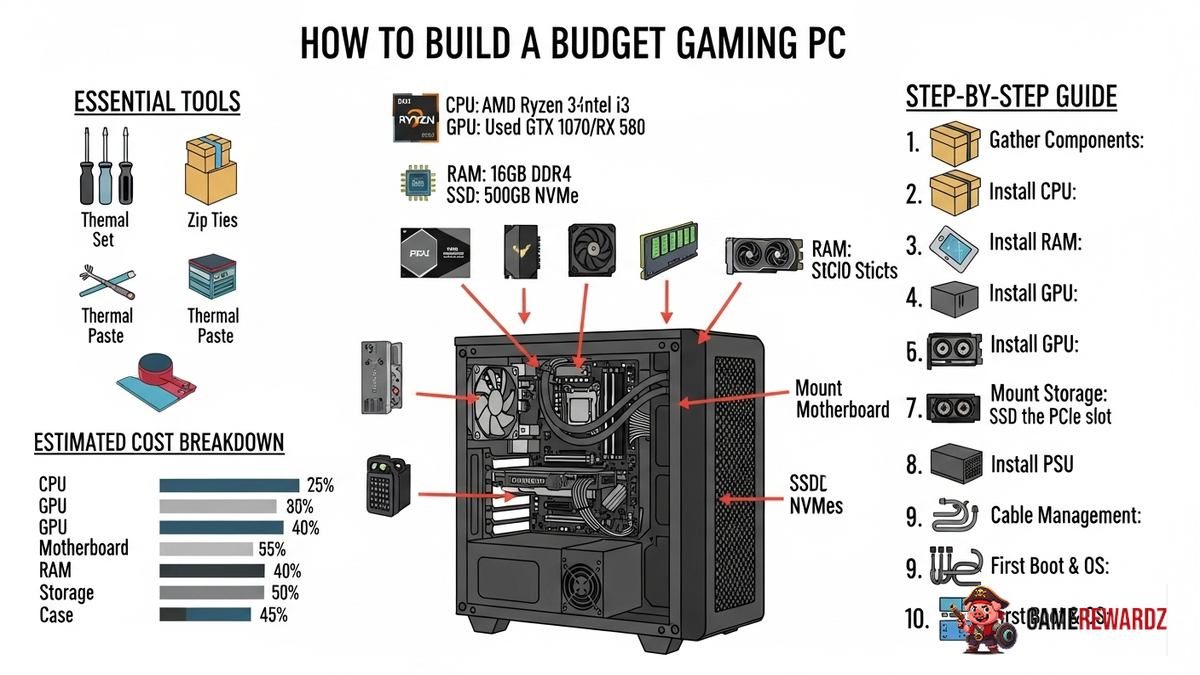
So, you wanna ascend to the PC gaming master race, but your wallet's looking a little...thin? I get it. I’ve been there. Building a gaming PC can seem like climbing Everest in flip-flops, but trust me, it’s totally doable on a budget. It's more like a scenic hike, really. A scenic hike with occasional uphill struggles and maybe a bear sighting (unexpected costs, naturally). But hey, what's life without a little adventure, right?
But where to even start? It's a valid question. The sheer volume of information is enough to make your head spin faster than a poorly cooled CPU. Don’t worry; we'll break it down. I'm not going to lie; this isn't about maxing out every setting at 4K resolution – unless you find a magical money tree I don't know about. This is about squeezing every last drop of performance out of your hard-earned cash and getting a rig that can play your favorite games at respectable settings. Think 1080p, maybe even pushing for 1440p on some titles. I remember my first build – it was basically held together with duct tape and prayer (metaphorically, mostly), but it ran Skyrim, and that’s all that mattered!
Picking Your Parts: The Heart and Soul of Your Build
Alright, let's dive into the component abyss. This is where the magic happens (and where you can easily overspend if you're not careful). We're going to focus on getting the best bang for your buck, so forget about those top-of-the-line components – for now, anyway. We're aiming for solid, reliable parts that offer good performance without breaking the bank.
CPU (Central Processing Unit): The brains of the operation. For a budget build, something like an AMD Ryzen 5 5600X is a fantastic choice. It offers excellent performance for the price and won't bottleneck your system. Intel also has some competitive options in the Core i5 range, so do your research and compare benchmarks. It’s all about finding that sweet spot of performance and price.
Motherboard: The foundation upon which everything else is built. Make sure it's compatible with your CPU (check the socket type!). A B450 or B550 chipset motherboard for AMD, or a B660 or H610 for Intel, should do the trick. Don't go overboard on features you don't need – focus on getting a reliable board with the necessary ports and expansion slots.
GPU (Graphics Processing Unit): The star of the show, especially for gaming. This is where you want to allocate a significant portion of your budget. A used Nvidia GeForce RTX 2060 or AMD Radeon RX 6600 can offer great 1080p gaming performance at a reasonable price point. Keep an eye on the used market! You can often snag amazing deals from people upgrading their systems.
RAM (Random Access Memory): 16GB of DDR4 RAM is the sweet spot for modern gaming. Don't skimp on this! It will make a noticeable difference in performance. Look for a kit with a speed of at least 3200MHz.
Storage: An SSD (Solid State Drive) is a must-have for your operating system and frequently played games. It will drastically improve loading times. A 500GB or 1TB SSD is a good starting point. You can always add a traditional HDD (Hard Disk Drive) later for mass storage if needed.
Power Supply: Don't cheap out on this! A reliable power supply is crucial for the stability of your system. Get a reputable brand with enough wattage to handle all your components. Use a PSU calculator to estimate your power needs. 550W-650W should be sufficient for most budget builds.
Case: Choose a case that you like the look of and that has good airflow. Plenty of affordable options are available. Don’t forget to consider cable management features! It can make your life much easier.
Budgeting for Victory (and Avoiding Defeat)
Okay, here's the tricky part: setting a realistic budget. First, figure out how much you can realistically spend. Be honest with yourself! Then, allocate funds to each component based on its importance. The GPU and CPU usually take the biggest chunk of the budget, followed by the RAM and SSD. The case and power supply are typically lower-priority items.
And speaking of power supplies, I was just reading an article the other day discussing why investing in quality components matters for PC building. You can read the full article at CrazyGames.
Here's a sample budget breakdown (adjust as needed): CPU: $150 - $200 Motherboard: $80 - $120 GPU: $200 - $300 RAM: $50 - $70 SSD: $50 - $80 Power Supply: $60 - $80 Case: $50 - $70
Remember to shop around and compare prices! Use price comparison websites and look for deals. Don't be afraid to buy used components (especially GPUs) from reputable sources. Just make sure to do your research and check the seller's feedback.
And, look, building a budget gaming PC doesn't mean you have to sacrifice fun. In fact, the challenge of it is part of the appeal. When you're finally playing games on a rig you built yourself, it will be incredibly rewarding. If you are looking for new games to play on your new setup, GameRewardz Casual Games may be a good place to start.
Assembly Time: From Parts to Powerhouse
Alright, you've got all your parts. Now it's time to put it all together! This might seem daunting, but it's actually quite straightforward. There are tons of excellent video tutorials on YouTube that will guide you through the process step-by-step. I always recommend watching a few different videos before you start, just to get a good understanding of what's involved.
Here are a few tips to keep in mind: Work in a well-lit and clean space. Ground yourself to prevent static electricity from damaging your components. Read the manuals for all your components carefully. Don't force anything! If something doesn't fit easily, you're probably doing something wrong. Take your time and be patient. Rushing things can lead to mistakes. Cable management is your friend! A tidy build will have better airflow and be easier to work on in the future.
And if all else fails, don't be afraid to ask for help! There are tons of online communities and forums where you can get advice from experienced PC builders. We've all been there!
As you get more experienced, you may decide to upgrade your GPU to something better. It's always good to do your research about different brands of cards and models. For example, there are many to choose from when considering an Nvidia GeForce. I recently ran across an article discussing the benefits of upgrading your Assault Rifle on Call of Duty Mobile, so you can see just how nuanced the details are for certain systems.
FAQ: Answering Your Burning Questions
How do I know if my components are compatible?
This is a crucial question! The easiest way is to use a website like PCPartPicker. It checks compatibility between all your components and alerts you to any potential issues. Pay close attention to CPU socket types, RAM compatibility (DDR4 vs. DDR5), and power supply wattage requirements.
What tools do I need to build a PC?
You don't need a ton of fancy tools. A Phillips head screwdriver (magnetic is helpful), some zip ties or Velcro straps for cable management, and maybe an anti-static wrist strap are the essentials. That’s really it. You probably already have most of this stuff lying around.
Is it really cheaper to build a PC than to buy one pre-built?
Generally, yes, especially if you're building a budget gaming PC. Pre-built systems often cut corners on components (like the power supply or RAM) to save money. Building your own allows you to choose quality parts and customize your system to your specific needs. Plus, you get the satisfaction of building it yourself!
What if I screw something up?
Don't panic! Everyone makes mistakes. The most important thing is to take your time and be careful. If you're unsure about something, consult a video tutorial or ask for help. Most components have warranties, so if something is truly defective, you can usually get it replaced.
How often should I upgrade my gaming PC?
That depends on your budget and the games you play. A good rule of thumb is to upgrade your GPU every 2-3 years and your CPU every 3-5 years. RAM and storage are usually fine for longer periods. However, if you notice that your games are starting to lag or you can't run the latest titles at your desired settings, it's probably time for an upgrade.














![Peggle [FLASH] Game](https://gamerewardz.com/thumbs/peggle-flash-game_2.webp)








