
































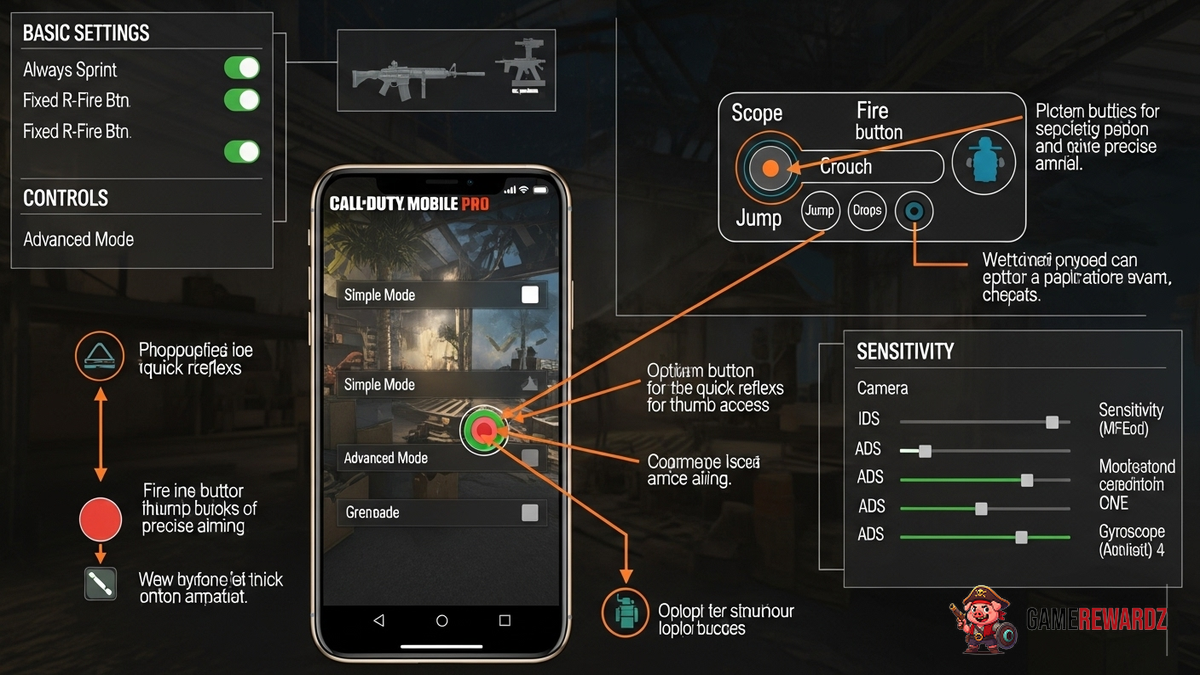
Okay, let's be honest. We've all been there. You're in a COD Mobile match, sights set on victory, when suddenly... BAM! You're taken out by someone who seems to have inhuman reflexes. You think, "Are they cheating?" Well, maybe. But more likely, they've just mastered their settings and HUD. And that's what we're diving into today. Let's see how to crank those settings up for max performance!
Forget "pay-to-win." This is "configure-to-win." And the best part? It's totally free. So, grab your device, maybe a cup of coffee (or whatever your performance-enhancing beverage of choice is), and let's get started.
Finding Your Perfect Sensitivity in COD Mobile
Sensitivity. The Holy Grail of mobile gaming settings. This single setting can make or break your gameplay. Too high, and you're over-aiming like crazy. Too low, and you're basically a stationary target. Finding the sweet spot is crucial, and trust me, it's a journey. But it is a crucial aspect. I initially thought I could just copy someone else's settings, but quickly realized that everyone is different. Muscle memory, device size, even your grip on the phone all play a role.
Here's the thing: there's no one-size-fits-all solution. You're going to have to experiment. Start with the default settings, then incrementally increase or decrease them until you find something that feels comfortable. Head to the practice range and spend some time getting a feel for the recoil pattern of your favorite weapons. Actually, here's a pro-tip from CrazyGames: record your gameplay and watch it back. You'll often see aiming issues that you miss in the heat of the moment.
And don't be afraid to tweak things constantly. I've been playing for years, and I still occasionally adjust my sensitivity based on the game mode or even my mood (yes, really!). You may also want to check out this article on other games for inspiration. It’s helpful to draw parallels and see what works best for similar game dynamics.
Crafting the Ideal HUD Layout: COD Mobile Style
The HUD (Heads-Up Display) is your command center in COD Mobile. It's where all the crucial information – your health, ammo, mini-map, and controls – are located. A cluttered or poorly designed HUD can lead to misclicks, missed opportunities, and ultimately, defeat. It’s crazy how many players stick with the default layout when they could significantly improve their gameplay with a few tweaks.
Consider what's most important to you. Do you prioritize quick access to the fire button? Do you want the mini-map in a prominent location? Are you a claw player who needs a specific button configuration? Drag those buttons around, resize them, and make them your own. Transparency is your friend here. Reduce the opacity of less-used buttons to declutter your screen. I generally keep my scorestreak buttons pretty transparent unless I am grinding those out!
But, keep it clean. Seriously, nothing is worse than trying to focus on action when you can barely see it. It's worth reading more about effective game design for UI/UX so that you can apply similar principles to your HUD.
Advanced Graphics and Audio Settings for COD Mobile
Let's talk about graphics. High graphics settings look amazing, no doubt. But they can also tank your frame rate, especially on older devices. Finding the right balance between visual fidelity and performance is key. Experiment with different graphics presets to see what your device can handle. Turn off unnecessary features like bloom and shadows if you're experiencing lag. Frame rate over fancy graphics, every time, in my book.
Audio is equally important. You need to be able to hear enemy footsteps and gunfire to react quickly. Use a good pair of headphones to pinpoint sound direction. Adjust the volume levels of different sound effects to prioritize the sounds that matter most. Honestly, I can't tell you how many times I've been saved by hearing an enemy sneaking up behind me. It's like having a sixth sense.
And don't forget about network settings. A stable internet connection is crucial for smooth gameplay. Close any unnecessary apps that might be hogging bandwidth. If you're playing on Wi-Fi, try moving closer to the router. Or, if all else fails, switch to a wired connection (if possible). Lag is the ultimate enemy, so do everything you can to minimize it. I feel like I should put a disclaimer here and say, "I am not responsible for rage-induced device throwing that results from lag." Just kidding... mostly.
FAQ: Optimizing Your COD Mobile Experience
How do I find the best COD Mobile sensitivity for my play style?
Finding that sweet spot in sensitivity is key. Start with the default settings, then incrementally adjust them. Hop into the training grounds and practice with various weapons. Pay close attention to over-aiming or under-aiming. Also, consider your device size and grip, as these can influence your ideal sensitivity. Keep tweaking until it feels natural!
What's the most effective way to customize my COD Mobile HUD layout?
Think about what's most important to you – quick access to the fire button, a clear view of the mini-map, etc. Drag, resize, and customize the button transparency to declutter your screen. Consider the way you hold your device, and move frequently used buttons to easily accessible spots. Regularly adjust and refine your HUD. Your thumbs will thank you later!
Why are my graphics settings impacting my COD Mobile performance?
High graphics settings demand a lot from your device. If you're experiencing lag or frame rate drops, try lowering the graphics settings. Disable features like bloom and shadows for a performance boost. Frame rate is more important than stunning graphics for competitive play. Finding that balance is vital.
Are there any audio settings I should tweak for better COD Mobile gameplay?
Absolutely! Using headphones can significantly improve your ability to pinpoint enemy locations. Adjust the volume levels of different sound effects to prioritize crucial sounds like footsteps and gunfire. Being able to hear your opponents is sometimes more vital than seeing them! This is often overlooked by newer players. Think of it like this, the better you can hear, the sooner you can pull the trigger!
So, there you have it. My slightly-caffeinated, hopefully-helpful guide to COD Mobile pro settings and HUD layouts. Go forth, experiment, and dominate the battlefield! And remember, it's not just about winning (though that's nice, too). It's about having fun and improving your skills. Now, if you excuse me, I'm off to try out some new sensitivity settings myself... wish me luck!














![Peggle [FLASH] Game](https://gamerewardz.com/thumbs/peggle-flash-game_2.webp)








