
































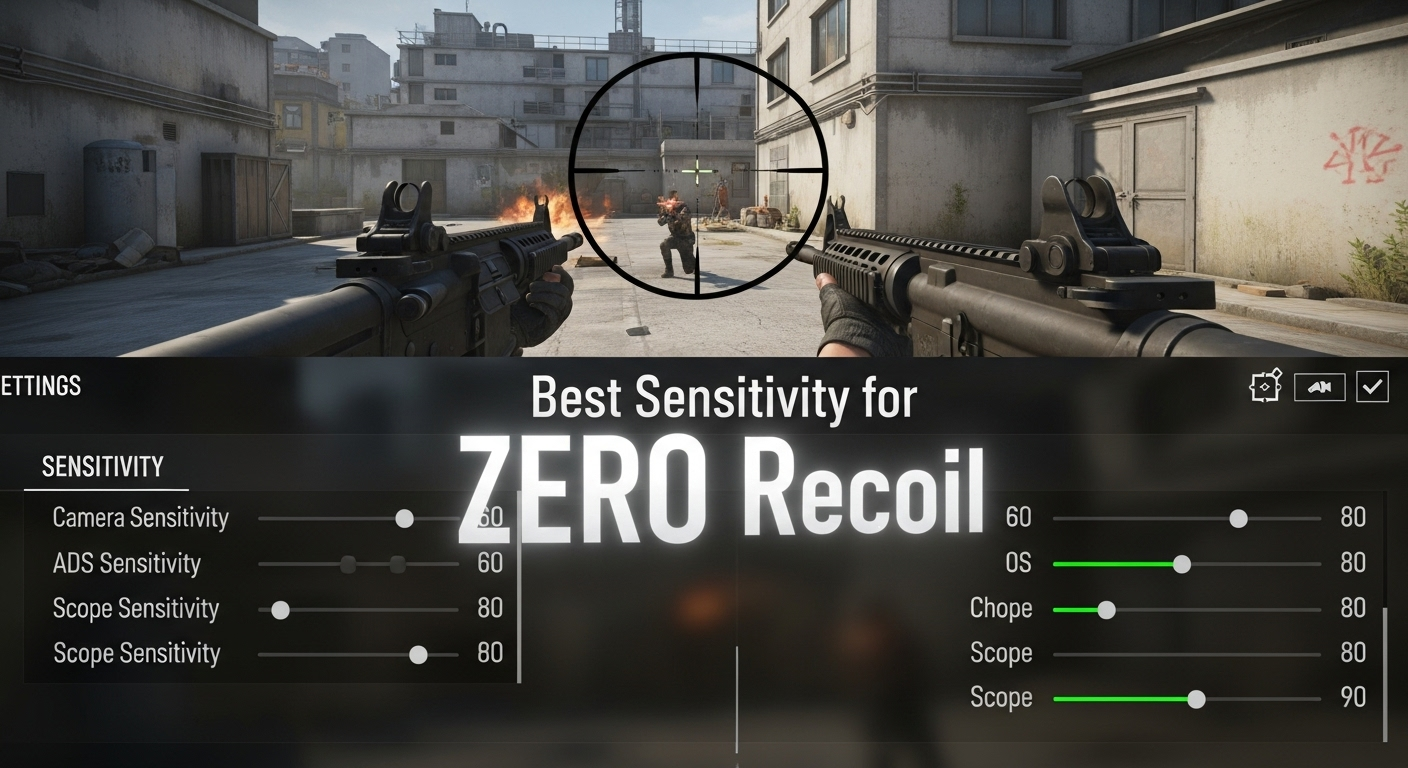
Okay, let's talk COD Mobile sensitivity. The holy grail of mobile FPS games, right? It's the single setting that can elevate you from thumb-mashing newbie to a veritable demon on the digital battlefield. But the frustrating thing? There’s no one-size-fits-all answer. What works for me—a claw-grip enthusiast with a penchant for aggressive SMG play—might be utter garbage for you, the laid-back sniper who prefers a more… deliberate approach. See, I keep coming back to this point because it's crucial: finding the right sensitivity is a journey, not a destination. It's about constant tweaking, testing, and adaptation.
Unlocking No Recoil: Understanding Sensitivity’s Role
Let's not beat around the bush: recoil control is king in COD Mobile. Mastering it lets you laser-beam opponents from across the map. And while practice makes perfect, the right sensitivity settings are the foundation upon which that practice is built. Think of it like this: trying to control recoil with a sensitivity that's too high is like trying to thread a needle with boxing gloves on. Conversely, a sensitivity that's too low will leave you sluggish and unable to react quickly to threats. Finding that sweet spot is key.
But, here's the thing: sensitivity isn't just about vertical recoil control. It's about horizontal movement, aiming down sights (ADS) speed, and even your ability to quickly check your corners. It's a complex web of interconnected settings. Wait, there's something even more interesting here... Did you know that the gyroscope feature plays a vital role as well? Let's dive a bit deeper.
Sensitivity Settings: A Deep Dive
The sensitivity settings in COD Mobile, you'll notice, are broken down into several categories. We have Standard Sensitivity, ADS Sensitivity, and Gyroscope Sensitivity (if you're into that sort of thing!). Understanding each category and how they interact is critical. Standard sensitivity dictates how quickly your view moves when you're not aiming down sights. ADS sensitivity controls your movement speed while aiming, and Gyroscope uses your device's motion sensor for fine-tuned aiming adjustments. I initially thought it was all about having high sensitivity and it was enough. Actually, that's not quite right. I realized each one needs to be tuned for optimal performance.
Let's break them down:
- Standard Sensitivity: This is your hip-fire, running-around sensitivity. Higher sensitivity allows for faster target acquisition and quicker reactions to flank attacks. Lower sensitivity provides more stability, particularly at longer ranges.
- ADS Sensitivity: This determines how fast your aim moves when you're looking through your sights. Balancing ADS sensitivity can improve your precision and recoil control while aiming. I remember when I cranked my ADS sensitivity way up because some YouTuber said it was "meta". I ended up overshooting targets constantly. Lesson learned: don't blindly follow trends.
- Gyroscope Sensitivity: This uses the physical movement of your device for aiming. Gyro can be incredibly precise and allows for subtle adjustments that are impossible with thumb controls alone. Requires practice, patience, and a steady hand.
The frustrating thing about this topic is, there isn't a magical sensitivity setting to make you an overnight pro. Your playstyle, device, and personal preferences all factor in. However, there are some general guidelines you can follow.
COD Mobile Sensitivity: Finding Your Perfect Match
Experimentation is key, you might be wondering where to even begin. Start with the default settings. Seriously. Spend some time in the practice range, getting a feel for how the gun handles. Then, make small adjustments. Increase your standard sensitivity by 5%. How does it feel? Can you still track targets effectively? Is your aim jerky or smooth?
The goal is to find a sensitivity that allows you to quickly snap to targets without sacrificing accuracy. For ADS sensitivity, the same principle applies. Start with small adjustments and focus on recoil control. Can you consistently land shots on a distant target? If not, lower your ADS sensitivity slightly. The sweet spot is where you can manage recoil while still being able to track moving targets effectively. In my experience, finding it is a constant, small adjustment.
I've got to admit, this part fascinates me: the mental aspect. Your mindset plays a huge role. Are you patient and methodical, or are you hyper-aggressive? Your sensitivity settings should reflect your approach to the game. Aggressive players often benefit from higher sensitivities, allowing them to quickly react to threats and engage in close-quarters combat. More passive players may prefer lower sensitivities for increased stability and accuracy at longer ranges. Here’s a helpful link to Call of Duty Mobile on Wikipedia.
Oh, and one more thing: don't be afraid to adjust your sensitivity settings on the fly. Different maps and game modes may require different sensitivities. A close-quarters map like Shipment might warrant higher sensitivity, while a long-range map like Crossfire may benefit from lower sensitivity. Adaptability is key to success in COD Mobile. Think about it this way…
FAQ: Decoding COD Mobile Sensitivity
How do I know if my COD Mobile sensitivity is too high?
If you find yourself overshooting targets, struggling to maintain accurate aim, or experiencing jerky, erratic movements, your sensitivity is likely too high. Lower your sensitivity in small increments until you feel more in control of your aim. Remember, smooth, controlled movements are far more effective than fast, spastic ones. Pay close attention to how your crosshairs move when tracking a moving target. Can you follow their movements smoothly, or are you constantly overcorrecting?
Why does my COD Mobile sensitivity feel different on different devices?
Screen size, resolution, and processing power can all affect how sensitivity feels on different devices. A larger screen might make a higher sensitivity feel more manageable, while a smaller screen might require a lower sensitivity. Experimentation is essential to find the right settings for each device you play on. And don't forget to adjust your graphics settings as well. Higher frame rates can make your game feel smoother and more responsive, while lower frame rates can make it feel sluggish and delayed.
What's the best way to practice my COD Mobile sensitivity settings?
The practice range is your best friend. Spend time shooting at static targets, then move on to moving targets. Focus on maintaining a smooth, consistent aim while tracking their movements. Experiment with different weapons and attachments to see how they affect your sensitivity. Most importantly, be patient. Finding the perfect sensitivity takes time and effort.
Is it bad to copy pro players' COD Mobile sensitivity settings?
While it can be tempting to copy pro players' settings, remember that what works for them may not work for you. Pro players often have years of experience and highly developed muscle memory. Their playstyle, grip style, and even their device may be different from yours. Use pro players' settings as a starting point, but don't be afraid to adjust them to fit your own preferences and needs. The most important thing is to find settings that feel comfortable and allow you to play your best.














![Peggle [FLASH] Game](https://gamerewardz.com/thumbs/peggle-flash-game_2.webp)








