
































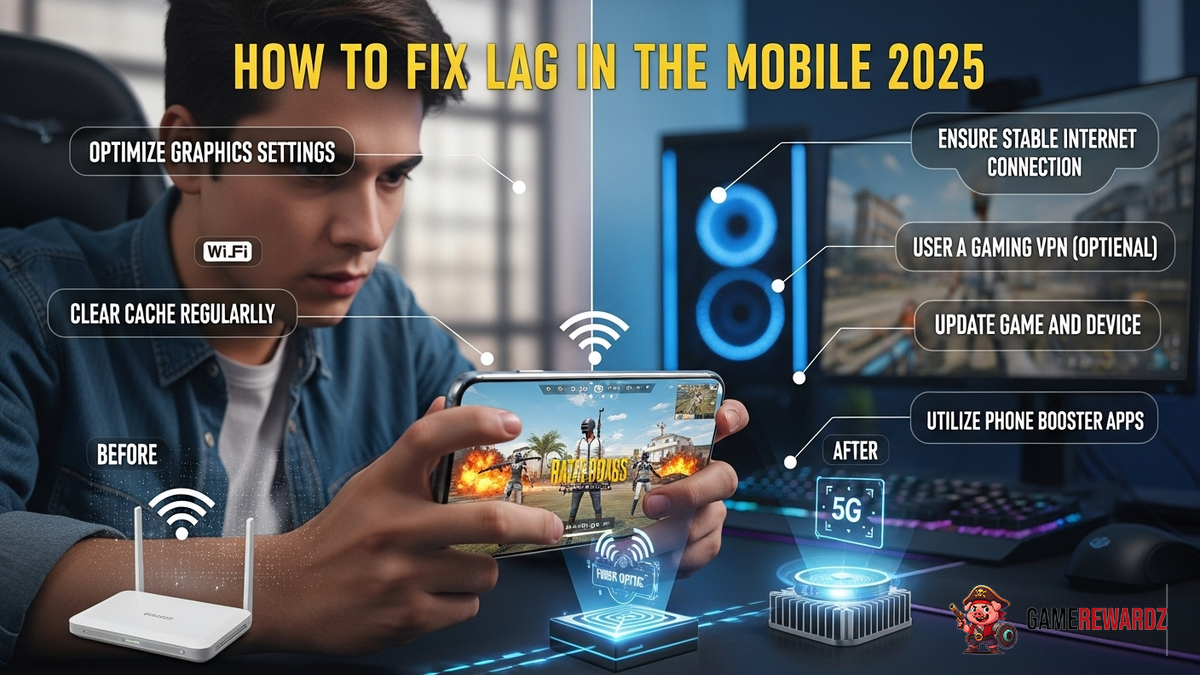
```html
Alright, fellow PUBG Mobile enthusiasts, let's talk about something we all hate: lag. You're lining up that perfect headshot, and suddenly… freeze frame. You're dead. Your squad is mocking you. Your K/D ratio is weeping. Sound familiar? Yeah, me too. The good news is that even in 2025, with all its technological advancements (or maybe because of them?), lag is still something we can fight. Let's dive into how to make PUBG Mobile run smoother than butter on a hot skillet. And honestly, who has time to deal with lagging while trying to clutch a Chicken Dinner? Nobody, that's who!
Understanding Why You're Lagging (and It's Probably Not Aliens)
So, why are you lagging? Well, it's usually a combination of factors, not some cosmic anomaly. Actually, that's not quite right, cosmic anomalies might contribute slightly to lag but in minuscule amount. Think of it like a recipe for disaster: your internet connection, your device's specs, and the game's settings all play a part. The frustrating thing about this is that there's no single magic bullet. We need to look at each area individually. Here's a breakdown:
- Internet Connection: Obvious, right? But it's more than just "having Wi-Fi." We're talking about speed, stability, and latency (ping).
- Device Performance: Your phone or tablet's processor, RAM, and graphics chip all affect how well it can handle PUBG Mobile. An older device? Yeah, you're gonna struggle.
- Game Settings: PUBG Mobile lets you tweak graphics settings. Crank 'em up too high, and even a decent device will start to choke.
- Background Apps: All those apps running in the background? They're hogging resources and slowing you down.
The 2025 Fixes: Optimizing for Smooth Gameplay
Okay, enough with the doom and gloom. Let's get to the solutions, shall we? I've got to admit, this part fascinates me because it's all about squeezing every last drop of performance out of your setup.
- Network Tweaks:
- Wi-Fi vs. Mobile Data: In general, a stable Wi-Fi connection is preferable. But here's the thing: a bad Wi-Fi connection is worse than a good mobile data connection. Test both and see which gives you lower ping.
- Close to the Router?: Yeah, I know it sounds obvious, but sometimes the simplest solutions are the best. Get closer to your router or, even better, use a wired Ethernet connection if possible (with an adapter, of course).
- Router Settings: Some routers let you prioritize gaming traffic. Dive into your router's settings (usually through a web browser) and look for QoS (Quality of Service) options.
- Device Optimization:
- Close Background Apps: Seriously, do it. Every. Single. Time. Use your device's task manager to kill anything you're not actively using.
- Clear Cache: PUBG Mobile stores temporary data. Clear it regularly from within the game's settings.
- Update Your OS: Make sure you're running the latest version of Android or iOS. Updates often include performance improvements.
- Game Booster Apps?: These apps claim to optimize your device for gaming. Some work, some are snake oil. Test them carefully and read reviews before installing.
- In-Game Settings:
- Graphics Settings: This is the big one. Lower your graphics settings to "Smooth" or "Balanced." Reduce the frame rate to "Medium" or "High." Experiment to find the sweet spot between visual quality and performance.
- Disable Shadows and Reflections: These look nice, but they eat up resources. Turn 'em off.
- Anti-Aliasing: Another resource hog. Disable it or set it to the lowest setting.
Want to gain a competitive edge in Apex Legends, this article shares some secret strategies for maximizing your loot and dominating the arena.
Advanced Tweaks and Considerations
Alright, so you've tried all the basic stuff, and you're still lagging? Don't despair! There are a few more advanced tweaks you can try. These require a bit more technical know-how, but they can make a significant difference.
- Custom ROMs (Android Only): If you're feeling adventurous, you can install a custom ROM (modified version of Android) that's optimized for performance. This is not for the faint of heart, as it can void your warranty and potentially brick your device. Do your research carefully before attempting this.
- Overclocking (Advanced Users Only): Overclocking your device's processor can boost performance, but it also generates more heat and can damage your hardware if done incorrectly. Proceed with extreme caution.
- Monitor Your Ping: Use a network monitoring tool to track your ping in real-time. This will help you identify when lag spikes are occurring and whether they're related to your internet connection or your device.
By following the tips of this article, you can efficiently complete your daily commissions and amass Primogems effortlessly.
Future-Proofing Your Setup
Let's be real: even with all these tweaks, you might eventually need to upgrade your device. Technology marches on, and PUBG Mobile will continue to evolve. When choosing a new phone or tablet, pay attention to the processor, RAM, and graphics chip. Look for devices with dedicated gaming features, such as liquid cooling or optimized software. And remember, investing in a good router can make a big difference, as explored by Crazy Games.
FAQ: Conquering Lag Like a Pro
How do I know if my internet connection is the problem?
Good question! Run a speed test (there are tons of free ones online). Pay attention to your download and upload speeds, as well as your ping. If your ping is consistently high (over 100ms), or your speeds are significantly lower than what you're paying for, that's a red flag. Also, try testing your internet connection on other devices. If they're also slow, the problem is likely with your internet service provider (ISP).
Why does PUBG Mobile lag more at certain times of the day?
Think about it: everyone's online at the same time. Peak hours (evenings and weekends) often mean more congestion on your ISP's network, leading to higher latency and lag. Try playing during off-peak hours for a smoother experience.
Will a VPN help reduce lag in PUBG Mobile?
Sometimes, but it's not a guaranteed fix. A VPN can potentially route your traffic through a less congested server, but it can also add overhead and increase your ping. Experiment to see if it makes a difference for you.
What if I've tried everything, and I'm still lagging?
Ugh, the worst-case scenario. If you've exhausted all troubleshooting steps, it might be time to contact your ISP or consider upgrading your device. Sometimes, there's just no getting around the limitations of your hardware or network.
```














![Peggle [FLASH] Game](https://gamerewardz.com/thumbs/peggle-flash-game_2.webp)








