
































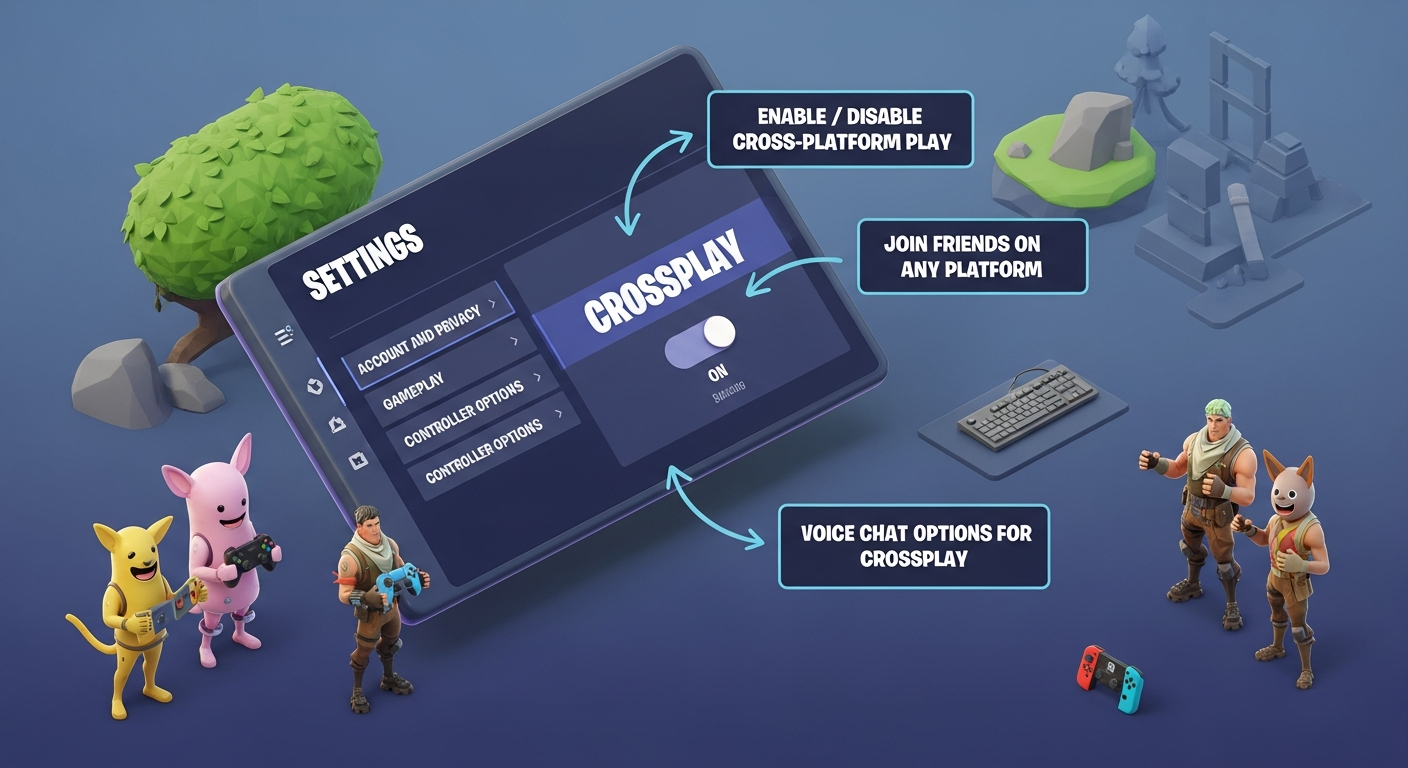
Alright, let's talk Fortnite. Specifically, let's dive into the wild world of crossplay. I remember the first time I heard about it – I was mid-build battle, getting absolutely demolished (as usual), when someone mentioned that they were on a completely different console. Mind. Blown.
It's one of those features that sounds simple on the surface – the ability to play with friends regardless of their gaming platform. But underneath? Oh boy, there's a whole ecosystem of settings, advantages, and, let's be honest, a little bit of controversy. So, grab your favorite beverage (mine's an iced latte, if you're curious), and let's get into it.
What Exactly IS Fortnite Crossplay?
In its simplest form, Fortnite crossplay (or cross-platform play, if you're feeling fancy) allows players on different devices to team up and compete against each other. That means you, rocking your souped-up PC, can squad up with your buddy who's chilling on their Nintendo Switch, or your cousin glued to their PlayStation. Pretty neat, right? You can find more info on crossplay at Crazy Games
But, and this is a big but, it's not just a simple switch you flip. There are nuances. There are settings to tweak. And there are definitely some things you need to know to make sure you're getting the most out of your Fortnite experience. It's worth noting that the game's popularity is partially due to these capabilities.
Unpacking Fortnite Crossplay Settings: Your Control Panel
Okay, so where do you find these magical settings? Well, boot up Fortnite, head into the options menu (you know, the one with the little gear icon), and look for the "Account and Privacy" section. Buried within that treasure trove of options, you'll find the crossplay settings.
Now, the exact wording might vary slightly depending on your platform, but the gist is usually a toggle that allows you to enable or disable crossplay. Seems simple, right? Actually, that's not quite right. There are implications to consider.
Here's the thing: disabling crossplay might sound appealing if you're tired of getting stomped by PC players with their fancy gaming rigs. But it also severely limits your matchmaking pool. You'll only be matched with players on the same platform who also have crossplay disabled. Prepare for longer queue times and potentially less diverse matches. It is also important to note that on some consoles you can't disable crossplay. Speaking of matches, you might want to check out this guide on Fortnite Arena!
On the flip side, leaving crossplay enabled opens you up to the entire Fortnite universe. Faster matchmaking, more varied opponents, and the ability to play with friends on any platform. But… you're also potentially facing players with different control schemes and hardware advantages. Swings and roundabouts, really.
Crossplay Caveats: The Fine Print
Let's address the elephant in the room: PC players. They often have access to higher frame rates, more precise aiming with a mouse and keyboard, and customizable settings that can give them a competitive edge. This can be frustrating for console players, especially in competitive modes.
But! Epic Games has made strides in leveling the playing field. They've implemented input-based matchmaking in some modes, meaning players using controllers are more likely to be matched against other controller users, regardless of platform. This helps to mitigate the advantage that mouse and keyboard players might have. Still, there are differences.
And then there's the whole question of communication. While Fortnite does have built-in voice chat, it's not always the most reliable. Plus, navigating menus to mute annoying teammates can be a pain. Many players opt for third-party voice chat services like Discord, which can further complicate cross-platform communication. The frustrating thing about this topic is there isn't a single solution.
Is Fortnite Crossplay Right For You?
Ultimately, the decision of whether or not to enable crossplay comes down to personal preference. There is no universally "correct" answer.
Consider your play style. Are you a casual player who just wants to have fun with friends? Then crossplay is probably a no-brainer. Are you a highly competitive player striving for the top ranks? Then you might want to experiment with disabling crossplay to see if it improves your experience. Remember practice makes perfect!
Think about your platform. Are you on a console? Be prepared to face PC players. Are you on PC? Be mindful of the potential advantages you might have.
And finally, don't be afraid to experiment. Toggle crossplay on and off, try different game modes, and see what works best for you. The beauty of Fortnite is that it's constantly evolving, so what works today might not work tomorrow. Which is kind of exciting, when you think about it.
FAQ: Decoding Fortnite Crossplay
How do I know if I'm playing against someone on a different platform?
Usually, you can tell by the icon next to their name in the lobby or during a match. PC players often have a computer icon, while console players will have an icon representing their respective platform (PlayStation, Xbox, Switch). But it's not always foolproof, as some players might be using controllers on PC, blurring the lines a bit.
Will enabling Fortnite crossplay make my game lag?
Potentially, yes. Crossplay can introduce some additional network overhead, especially if you're playing with someone who has a poor internet connection. However, Epic Games has implemented various optimizations to minimize lag and ensure a smooth experience. If you're experiencing excessive lag, try troubleshooting your own internet connection first.
I keep getting destroyed by PC players! Is crossplay unfair?
That's a common sentiment! PC players often have advantages like mouse and keyboard aiming and higher frame rates. While Epic Games has implemented input-based matchmaking and other measures to level the playing field, the perceived unfairness is still a valid concern for many console players. Consider disabling crossplay if it's severely impacting your enjoyment of the game. But remember, that will affect your matchmaking pool!
Can I choose to only play against players on specific platforms?
Unfortunately, no. Fortnite doesn't offer the option to selectively choose which platforms you want to crossplay with. It's either all or nothing. You can either enable crossplay and be matched with players from all supported platforms, or disable it and only be matched with players on your own platform who also have crossplay disabled.
Does Fortnite crossplay include mobile players?
Yes, Fortnite crossplay does include mobile players. If you have crossplay enabled, you may be matched with players on iOS or Android devices. However, mobile players often face significant disadvantages due to smaller screen sizes and touch controls. Be mindful of this when playing with or against mobile players.














![Peggle [FLASH] Game](https://gamerewardz.com/thumbs/peggle-flash-game_2.webp)








