
































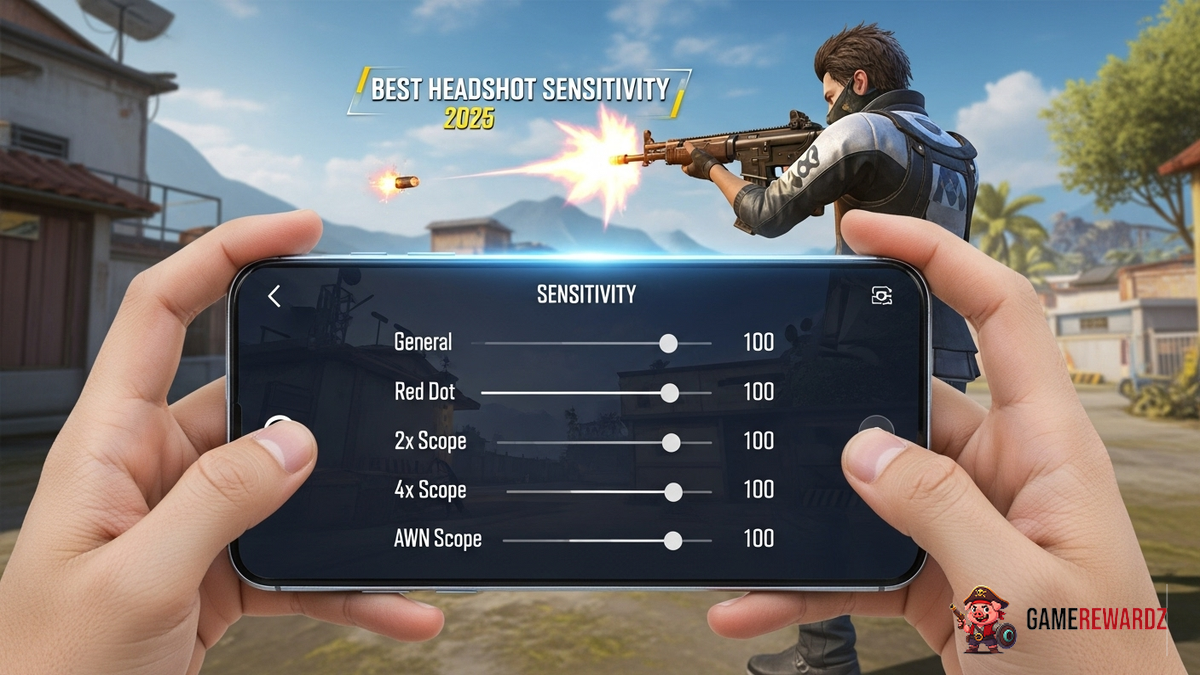
Okay, let's talk headshots. Not the kind your grandma wants for her mantelpiece, but the satisfying kind you land in Free Fire. The kind that makes you pump your fist and maybe (just maybe) do a little victory dance. And let's be honest, in the chaos of Free Fire, nailing those headshots consistently feels less like skill and more like… luck. But what if I told you that wasn't entirely true? What if the secret sauce was tweaking your sensitivity settings just right? Specifically, we're talking about achieving optimal Free Fire Best Headshot Sensitivity Settings 2025 – because things are always evolving, aren't they?
Unlocking Headshot Heaven: It's All About Feel
Here's the thing: there's no magic bullet. No single setting that will transform you into a headshot machine overnight. Anyone promising you that is probably trying to sell you something. But the core concept revolves around finding what feels right for you. It's a highly personal thing. What works for your favorite streamer might be totally useless for you, and vice versa. Why? Because everyone's got different screen sizes, devices, and even grip styles. Also, personal reflexes, let's not forget about that! You also have to factor in how your fingers move on a touchscreen. (Oh, the joys of mobile gaming!)
But, that doesn’t mean we are without options. You can read more on popular games and communities to learn more about player settings, so you can get a better idea of what direction to start testing.
So, where do you even start? Well, I like to begin with the general sensitivity setting. Crank it up to 100 and jump into a training match. See how it feels. Can you quickly turn 180 degrees? Is it too jerky? Too slow? Then, start dialing it down in increments of 5 until you find that sweet spot where you can react quickly without feeling like you're wrestling a wild animal. I remember when I first started playing, I thought higher sensitivity was ALWAYS better. Boy, was I wrong! I was overshooting every target. Aiming became a total nightmare. It was a humbling experience, to say the least.
ADS and Scope Sensitivity: Precision is King
Here's where things get a little more granular (and, if I'm being honest, where a lot of people go wrong). Adjusting your Aim Down Sight (ADS) and scope sensitivities independently is crucial. You don't want the same sensitivity when you're hip-firing as when you're peering through an 8x scope, right? Think about it: that tiny movement on your screen translates to a massive change in your aim at long distances. Here's the important part: ADS sensitivity controls how fast your aim moves when you're using iron sights or red dot sights. Scope sensitivity handles everything from 2x to 8x scopes. I usually set my ADS a bit lower than my general sensitivity, and then incrementally lower each scope sensitivity level as the magnification increases. It is like adjusting camera settings for photography, here you can read more tips on using advanced settings!
It's tedious, I know. But trust me, spending the time to dial these in is worth it. The difference between landing a clean headshot and missing completely often comes down to these subtle adjustments.
The Secret Weapon: Practice, Practice, Practice
Okay, so you've tweaked your settings until your fingers bleed (okay, maybe not bleed, but you get the idea). You think you've found the Free Fire Best Headshot Sensitivity Settings 2025 for you. Now what? Well, here's the cold, hard truth: settings alone won't make you a pro. You need to put in the hours. Head into the training grounds. Practice flicking your aim from target to target. Get a feel for how your new settings respond. And most importantly, don't get discouraged if you don't see results immediately. It takes time to build muscle memory. The frustrating thing is that there is no way to build it overnight.
And don't be afraid to experiment! Even after months of playing, I still find myself tweaking my settings from time to time. Maybe a new update changed something. Maybe my reflexes are just a little off that day. The point is, be adaptable. Be willing to adjust. And never stop practicing.
Oh, and one more thing. Don’t forget to upgrade your gear! You will want to have best graphic card settings so you can get the most out of your experience. You will also want to explore the best control configurations that fit your specific game style!
Free Fire Best Headshot Sensitivity Settings 2025 and Beyond
I initially thought I could just give you a list of perfect settings, but after thinking about it, it's a lot more complex than that. Finding the perfect sensitivity is a journey, not a destination. It's about understanding the principles, experimenting with different settings, and putting in the time to practice. And remember, what works for one person might not work for another. So, take my advice with a grain of salt. Experiment. Adapt. And most importantly, have fun! Because at the end of the day, that's what gaming is all about.
FAQ: Dialing in Your Headshot Game
How do I know if my sensitivity is too high?
If you're constantly overshooting your targets, even with small movements, your sensitivity is probably too high. Try lowering it in small increments until you feel more in control.
What's the best way to practice headshots in Free Fire?
The training grounds are your best friend. Focus on flicking your aim quickly and accurately between targets. Also, try using different weapons to get a feel for how they handle with your chosen sensitivity settings. Another great method is playing deathmatch games. These allow you to get a lot of reps in a short amount of time.
Why does my sensitivity feel different after every update?
Game updates can sometimes affect sensitivity settings. It's always a good idea to double-check your settings after an update and make any necessary adjustments.
Is there a best DPI setting for my mouse that will help me land better headshots?
While this guide is focused on mobile Free Fire, if you are using an emulator on PC, DPI (dots per inch) is a hardware setting that controls how sensitive your mouse is. As a rule, most pro players use a setting between 400 and 800 DPI, but again, the key is to find a setting that feels comfortable and allows you to aim accurately.














![Peggle [FLASH] Game](https://gamerewardz.com/thumbs/peggle-flash-game_2.webp)








