
































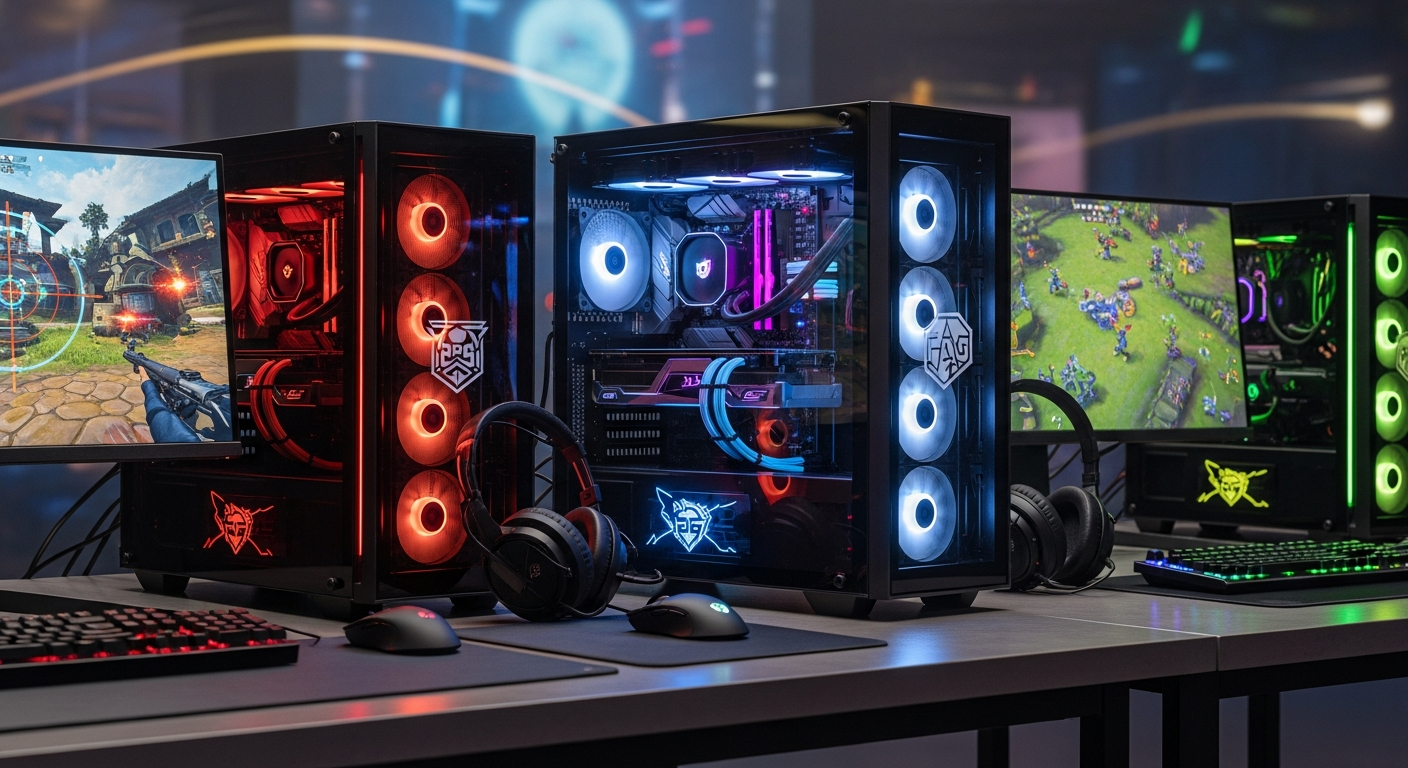
So, you're thinking about diving into the world of esports, huh? Good choice! Or maybe you're just tired of your current rig sputtering and coughing every time you try to load up the latest AAA title. Either way, you're going to need a serious piece of machinery: a top-tier gaming PC. But where do you even start? That's the million-dollar question, isn't it?
I remember when I first started looking at gaming PCs. It felt like learning a whole new language. Gigahertz this, RTX that, DDR5 the other thing… my head was spinning. The good news? It doesn't have to be that complicated. Let's break it down, shall we?
What Makes a Gaming PC "Esports Ready" Anyway?
Okay, so what does "esports ready" actually mean? It's not just marketing hype (though, let's be real, some of it is). An esports-ready PC is built to deliver consistently high frame rates, low latency, and rock-solid stability. Think of it this way: you want a machine that won't flinch, even when the digital bullets are flying thick and fast.
Frame rates are crucial because they determine how smooth the action looks on your monitor. The higher the frame rate, the more responsive the game feels. Check out this awesome gaming website to see what I mean about smooth action. Aim for at least 144 FPS (frames per second) to take advantage of a high refresh rate monitor (144Hz or higher). Anything less, and you're leaving performance on the table. Input lag can be a killer too!
Stability is non-negotiable. Imagine being in the middle of a crucial match, about to clutch the round, and your game crashes. I shudder at the thought. An esports-ready PC needs to be reliable, capable of running for hours under intense load without overheating or throwing errors. And believe me, I've seen some PCs melt down in spectacular fashion.
The Core Components: Powering Your Digital Domination
Right, let's talk hardware. This is where things get interesting. The two most important components are the CPU (Central Processing Unit) and the GPU (Graphics Processing Unit).
The CPU is the brains of the operation, handling all the general-purpose processing tasks. For esports, you want a CPU with high clock speeds and good multi-core performance. Intel's Core i5 or i7 series (or their AMD Ryzen equivalents) are generally solid choices. But don't skimp! A faster CPU can make a surprisingly big difference, especially in CPU-intensive games.
The GPU is responsible for rendering all the graphics you see on screen. This is where you'll want to spend a significant chunk of your budget. NVIDIA's GeForce RTX series (think RTX 3060 or higher) or AMD's Radeon RX series are the way to go. More VRAM (video memory) is always better, especially if you plan on playing at higher resolutions.
But it's not just about the CPU and GPU. You'll also need:
- RAM: At least 16GB of fast DDR4 or DDR5 memory. 32GB is even better.
- Storage: A fast NVMe SSD (Solid State Drive) for your operating system and games. Trust me, you don't want to be stuck with a slow hard drive in 2024.
- Motherboard: A quality motherboard that supports your CPU, RAM, and GPU.
- Power Supply: A reliable power supply with enough wattage to handle all your components. Don't cheap out on this!
- Cooling: A good CPU cooler (air or liquid) to keep your CPU from overheating. Overheating equals throttling, and throttling equals lost performance.
And, of course, a decent monitor with a high refresh rate and low response time. I won't go into all the details here, but trust me, a good monitor is essential.
Balancing Budget and Performance
Here's the thing: building an esports-ready gaming PC can get expensive. But it doesn't have to break the bank. The key is to find the right balance between budget and performance. Where do you splurge, and where do you save?
I'd recommend prioritizing the GPU and CPU. These are the two components that will have the biggest impact on your gaming performance. You can save money on other components, like the case or the motherboard, without sacrificing too much performance. This is a great way to boost your skins, and you need a good PC to do it!
Also, consider buying used or refurbished components. You can often find great deals on GPUs and CPUs that are only a few years old. Just be sure to do your research and buy from a reputable seller.
And don't forget about peripherals! A good mouse, keyboard, and headset can make a big difference in your gaming experience. But again, you don't need to spend a fortune. There are plenty of great options available at reasonable prices.
Pre-Built vs. DIY: The Great Debate
Okay, so you've got a good handle on the hardware. Now you've got another decision to make: should you buy a pre-built gaming PC, or build your own? There are pros and cons to both approaches.
Pre-built gaming PCs are convenient. They're ready to go right out of the box, and they often come with a warranty. But they can be more expensive than building your own, and you may not have as much control over the components.
Building your own gaming PC gives you complete control over every aspect of the build. You can choose the exact components you want, and you can often save money. But it requires more time and effort, and you'll need some technical knowledge. And, honestly, a bit of patience. It is like unlocking rare skins in Fortnite! Check out this post for more info on that!
Personally, I'm a big fan of building your own PC. It's a rewarding experience, and you'll learn a lot in the process. But if you're not comfortable with the technical aspects, a pre-built PC might be a better choice. No judgement here!
FAQ: Your Burning Questions Answered
How much should I spend on a gaming PC for esports?
That depends on your budget and the specific games you want to play. But as a general rule, you should expect to spend at least $1000 to $1500 for a decent esports-ready gaming PC. You can definitely spend more, but that's a good starting point. Building yourself will always save money here!
Will a gaming PC really improve my esports performance?
Yes, absolutely! A faster, more stable PC can give you a significant advantage over your opponents. Lower latency, higher frame rates, and smoother gameplay can all make a big difference. Think of it as upgrading your sports equipment – better gear, better performance.
How often should I upgrade my gaming PC?
That depends on how demanding the games you play are. But as a general rule, you should plan on upgrading your GPU every 2-3 years, and your CPU every 4-5 years. You may also need to upgrade your RAM or storage as needed.
What's the biggest mistake people make when building a gaming PC?
Skimping on the power supply! A cheap or underpowered power supply can cause all sorts of problems, including system instability, crashes, and even hardware damage. Always choose a reputable power supply with enough wattage to handle all your components.
So there you have it! A hopefully not-too-confusing guide to building (or buying) an esports-ready gaming PC. Remember, it's all about finding the right balance between budget and performance. And most importantly, have fun! Now, go dominate those leaderboards!














![Peggle [FLASH] Game](https://gamerewardz.com/thumbs/peggle-flash-game_2.webp)








