
































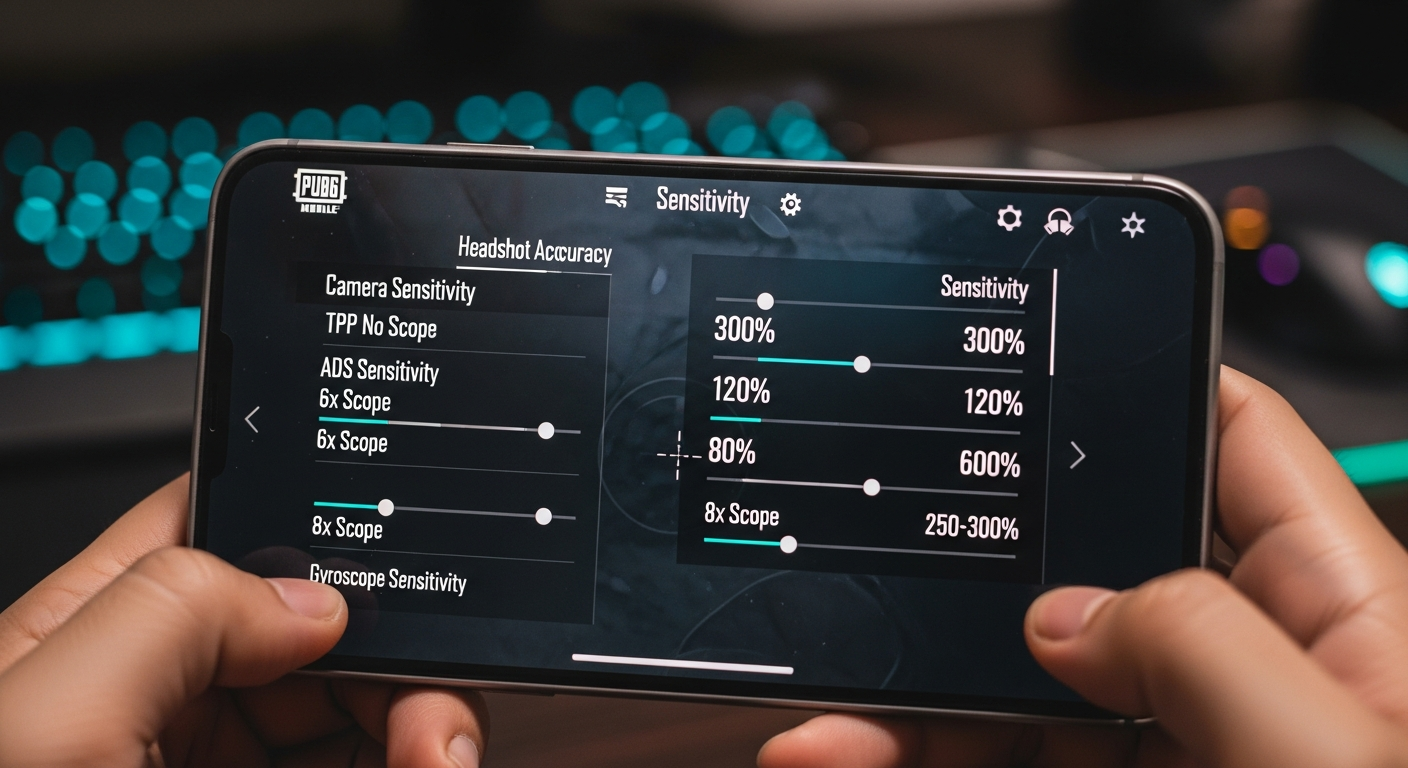
Okay, let's talk PUBG Mobile. Specifically, let's dive deep into the rabbit hole that is sensitivity settings. Now, I know what you're thinking: "Ugh, more sensitivity guides?" But trust me, this isn't going to be your run-of-the-mill, copy-pasted advice. This is about finding your perfect sensitivity, the one that makes you feel like a headshot machine. Because, let's be honest, nothing's quite as satisfying as dropping enemies with pinpoint accuracy, right?
The frustrating thing? What works for one person might be utterly terrible for another. It depends on your device, your grip, your playstyle, and even the phase of the moon (okay, maybe not that last one... or does it?). But seriously, there's no magic bullet. This is about experimentation, understanding the underlying principles, and tweaking things until you find that sweet spot.
I initially thought that just copying the settings of pro players would be enough. Yeah, that didn't work. At all. Turns out, those guys are playing on iPads with claw grips and years of muscle memory. My poor thumbs on my phone just couldn't keep up.
Understanding PUBG Mobile Sensitivity: The Core Concepts
So, before we even touch the in-game settings, let's break down what these sensitivities actually do. You might be wondering, what is Gyroscope? Well, the first thing to know is that PUBG Mobile actually divides sensitivity into multiple areas:
- Camera Sensitivity (Free Look): This controls how fast your camera moves when you're just looking around, not aiming down sights. Think of it as your general awareness setting.
- Camera Sensitivity (Parachute): This controls your sensitivity while you're airborne.
- Camera Sensitivity: These settings affect your view while not aiming.
- ADS Sensitivity (Aim Down Sight): This is where things get interesting. These settings control your sensitivity when you're aiming down sights with different scopes and sights (red dot, holographic, 2x, 3x, all the way up to 8x). This is crucial for accurate aiming and recoil control.
- Gyroscope Sensitivity: If you're using the gyroscope (and you should be, more on that later), these settings control how much your view moves when you physically tilt your device.
See? It's not just one big sensitivity slider. It's a whole ecosystem of settings working together. And that's why finding the right balance is so important. Don't underestimate the impact of small changes. Even a slight tweak can make a huge difference.
One tip I picked up from a pro (after hours of embarrassing gameplay, I might add) is to focus on one scope at a time. Don't try to dial in everything at once. Start with your most-used scope (probably the red dot or holographic) and get that feeling perfect. Then move on to the others.
Finding Your Perfect Sensitivity: A Step-by-Step Approach
Alright, enough theory. Let's get practical. Here's my recommended approach to finding your ideal PUBG Mobile sensitivity:
- Start with Presets: PUBG Mobile offers Low, Medium, and High sensitivity presets. Start with Medium. It's a good baseline.
- Head to the Training Grounds: This is crucial. Don't try to adjust your sensitivity in a real match. You'll just get frustrated (and probably eliminated).
- Focus on Recoil Control: Pick a weapon you like (I'm partial to the M416) and try to control its recoil while spraying at a target. If the gun kicks up too much, lower your ADS sensitivity. If you're overcorrecting, raise it.
- Test with Moving Targets: Once you can control recoil on a stationary target, try tracking moving targets. This is where things get tricky. You'll need to adjust your sensitivity to match their speed.
- Incorporate the Gyroscope: This is a game-changer, trust me. Gyroscope allows for micro-adjustments by physically tilting your device. It takes some getting used to, but it's worth it. Start by using it only for close-range engagements and gradually incorporate it into longer-range shots.
- Iterate, Iterate, Iterate: This is the most important step. Don't be afraid to experiment. Make small adjustments and keep testing. It's a process, not a destination.
And remember, muscle memory is key. Once you find a sensitivity that feels good, stick with it for a while. Don't keep changing it every day. Give your brain time to adjust. Think about it this way: professional athletes don't change their equipment every day, do they? (Okay, maybe some do, but you get the idea.)
Actually, that's not quite right... you CAN change your sensitivity settings everyday, but make sure you test it in training grounds instead of real match.
Gyroscope: The Secret Weapon
I've got to admit, this part fascinates me. Gyroscope aiming is like unlocking a whole new level of precision. Here's the thing: it allows you to make incredibly fine adjustments to your aim that are simply impossible with just your thumbs. Imagine trying to thread a needle while wearing boxing gloves – that's what aiming without a gyroscope feels like after you've gotten used to it.
But it's not for everyone. It takes dedication and practice. You'll probably feel awkward at first, like you're trying to pat your head and rub your stomach at the same time. But stick with it. The payoff is huge.
The most common mistake I see people make with the gyroscope is setting the sensitivity too high. Start low, really low. You want to be able to make small, controlled movements without your view flying all over the place. Gradually increase the sensitivity until you find a point where you can comfortably track targets.
And here's a pro tip: use different gyroscope sensitivities for different scopes. You'll need a lower sensitivity for high-magnification scopes (like the 6x and 8x) and a higher sensitivity for close-range scopes (like the red dot and holographic).
FAQ: PUBG Mobile Sensitivity Settings
How do I know if my sensitivity is too high?
If you find yourself overshooting your targets or having difficulty making small, precise adjustments, your sensitivity is probably too high. Try lowering it gradually until you feel more in control. Remember, it's better to be slightly too slow than too fast. You can always compensate for a lower sensitivity with quicker movements, but you can't compensate for a sensitivity that's too high.
Why do pro players use such different sensitivities?
This is a great question! Pro players have spent countless hours honing their skills and developing muscle memory. Their sensitivities are often tailored to their specific playstyles, devices, and grip techniques. What works for one pro player might not work for you. Don't blindly copy their settings. Use them as a starting point, but ultimately, find what works best for you.
What's the deal with ADS sensitivity versus camera sensitivity?
ADS (Aim Down Sight) sensitivity controls how fast your view moves when you're aiming down sights with a scope or sight. Camera sensitivity, on the other hand, controls how fast your view moves when you're not aiming down sights. It's important to find a balance between these two settings. You want to be able to quickly scan your surroundings with your camera, but you also want to be able to make precise aiming adjustments when you're ADS.
Is it really worth using the gyroscope?
In my opinion? Absolutely. It takes time and effort to learn, but the benefits are undeniable. Gyroscope aiming allows for much finer control and precision, especially at close to mid-range combat. Once you get the hang of it, you'll wonder how you ever played without it.
So there you have it. My somewhat rambling, slightly obsessive, but hopefully helpful guide to PUBG Mobile sensitivity settings. Remember, the key is experimentation. Don't be afraid to tweak things, try new things, and find what works best for you. And most importantly, have fun! Now, if you'll excuse me, I'm going to go drop into Pochinki and test out my latest settings. Wish me luck!














![Peggle [FLASH] Game](https://gamerewardz.com/thumbs/peggle-flash-game_2.webp)








