
































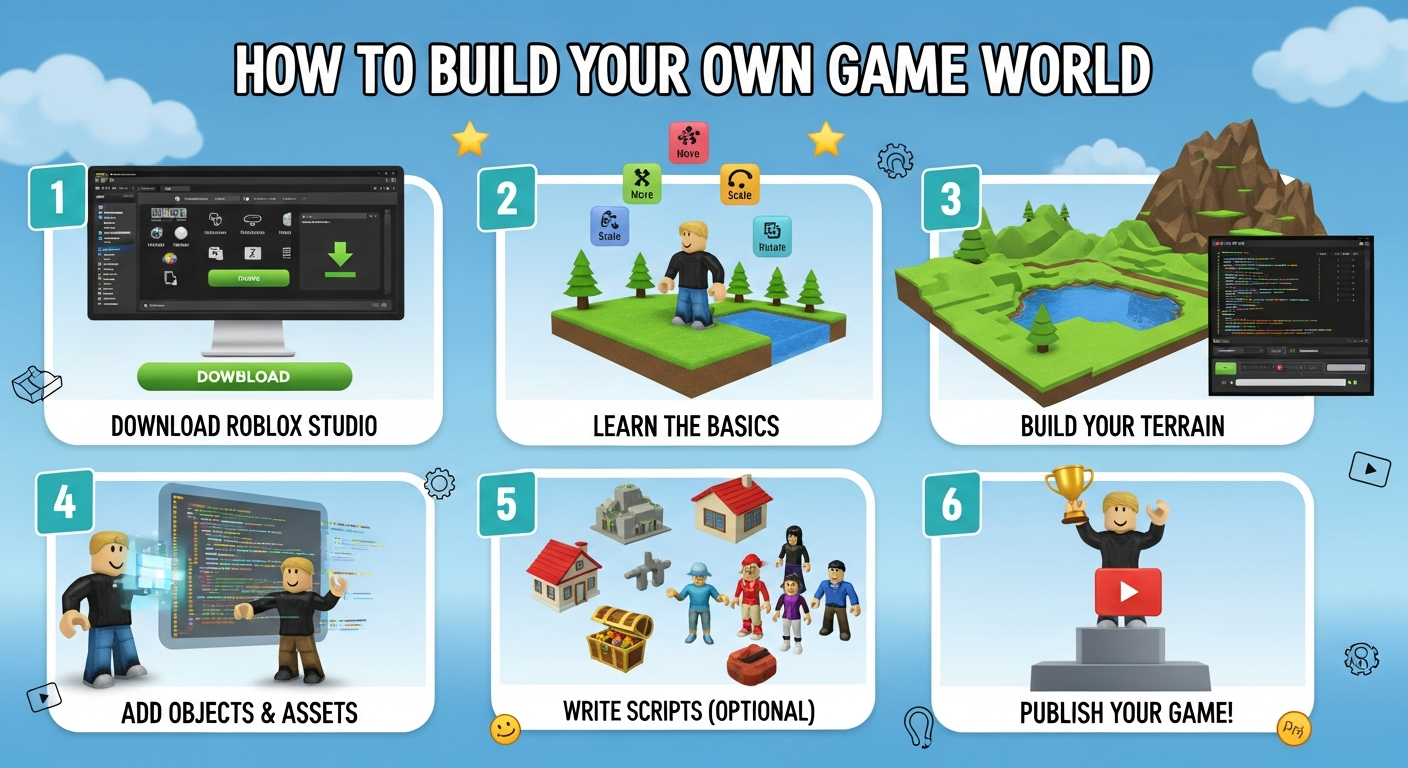
So, you want to build your own world in Roblox? Awesome! I've spent countless hours tinkering with Roblox Studio, and I've got to admit, there's something incredibly satisfying about seeing your creations come to life. It's like being a digital architect, a level designer, and a game master all rolled into one.
But where do you start? That's the million-Robux question, isn't it? Don't worry, this isn't going to be some dry, technical manual. Think of this as a casual chat over coffee (or maybe a virtual soda in your new Roblox world) about the essential steps to get you going. We'll cover the basics, point out some common pitfalls, and hopefully, inspire you to unleash your inner game developer.
Actually, let’s start with a bit of honesty: Roblox Game Development isn't always a walk in the park. There's a learning curve, sure, and sometimes the Studio can feel a bit clunky. But the rewards? Huge. The feeling of other players exploring and enjoying something you built from scratch? Priceless.
Laying the Foundation: Understanding Roblox Studio
First things first, you'll need to download and install Roblox Studio. It’s free, which is always a plus. Think of Roblox Studio as your digital workshop – a place where you can build, script, and test your game. If you are new to this I would suggest to watch tutorials on crazygames.com.
Once you've fired up the Studio, you'll be greeted with a bewildering array of options. Don't panic! Start with a simple baseplate template. This gives you a nice, flat surface to build on. Seriously, don't try to be a hero and start with some complex terrain generator right away. Keep it simple to start.
The Studio interface is divided into several key areas:
- The 3D Viewport: This is where you'll see and interact with your world.
- The Explorer Window: This shows you the hierarchical structure of your game – all the parts, scripts, and objects that make up your world.
- The Properties Window: This is where you can tweak the attributes of any object you select – its size, color, material, position, etc.
- The Toolbox: This is your treasure trove of pre-made assets – models, scripts, sounds, and more. Use it wisely, but don't rely on it too much. Creating your own assets is where the real fun begins.
Building Blocks: Basic Parts and Terrain
The fundamental building blocks of any Roblox world are “parts.” These are simple geometric shapes – cubes, spheres, cylinders, wedges – that you can manipulate and combine to create more complex structures. You can add a part to your world by clicking the “Part” button in the Home tab. Experiment with different shapes and sizes.
And don't forget terrain! The Terrain Editor allows you to create mountains, valleys, rivers, and other natural landscapes. It's a bit more advanced than basic part manipulation, but it can add a lot of depth and realism to your world. Here's the thing: don't get bogged down in creating hyper-realistic terrain right away. Focus on functionality first. Can players navigate your world easily? Does the terrain enhance the gameplay, or just get in the way?
But, here's where things get interesting. How do you actually move these parts around? Learn the basic movement tools in Studio: Select, Move, Scale, and Rotate. These are your bread and butter. Mastering these tools will allow you to position, resize, and orient parts precisely.
Also, and this is important, use the “Snap to Grid” setting to your advantage. This makes it easier to align parts perfectly, preventing those annoying little gaps and misalignments that can plague beginner builders.
Adding Interactivity: Scripting with Lua
Okay, so you've got a world that looks good. But it's just a static diorama, right? To bring it to life, you need to add interactivity with scripts. Roblox uses a scripting language called Lua, and while it might seem intimidating at first, it's surprisingly easy to pick up the basics. One thing I suggest to become professional gamer is to learn programming.
Let me try to explain this more clearly. A script is simply a set of instructions that tells the game what to do in response to certain events. For example, you might write a script that makes a door open when a player touches it, or that spawns enemies when a player enters a certain area. You can create a script by right-clicking on an object in the Explorer window and selecting “Insert Object -> Script.”
A simple script might look like this:
 -- This script makes a part change color when touched

 script.Parent.Touched:Connect(function(hit)
 script.Parent.BrickColor = BrickColor.random()
 end)
And remember, there are tons of resources available online to help you learn Lua. The Roblox Developer Hub is a great place to start, and there are countless tutorials and videos on YouTube. Don't be afraid to ask for help – the Roblox developer community is generally very supportive.
By the way, have you thought about monetizing your game? It's possible to earn Robux (Roblox's virtual currency) by selling in-game items, access passes, or developer products. It's not a get-rich-quick scheme, but it can be a nice way to earn a little extra spending money – or even turn your passion into a full-time career. Want to know more about professional gaming?
Testing and Iteration: The Key to Success
So, you've built a world, added some scripts, and now it's time to test it out. Click the “Play” button in Studio, and your game will launch in a separate window. Walk around, interact with objects, and see if everything works as expected. I initially thought testing was optional, but trust me, it's not.
And here's the thing: things will go wrong. Scripts will break, objects will glitch, and players will find ways to exploit your game that you never even imagined. That's okay! That's part of the development process.
The key is to iterate. Fix the bugs, tweak the gameplay, and get feedback from other players. The Roblox community is a valuable resource for testing and feedback. Share your game with others, ask for their opinions, and listen to their suggestions. Do you know what games are in trend?
Actually, I keep coming back to this point because it's crucial: don't be afraid to fail. Game development is an iterative process. The more you experiment, the more you learn, and the better your games will become. So, go forth, create, and have fun! The world of Roblox is waiting for your creations.
FAQ: Your Roblox Game Development Questions Answered
How do I know if my game idea is any good?
That's a tough one! There's no guaranteed formula for success, but here are a few things to consider: Is your game unique? Does it offer something that other games don't? Is it fun? Ask yourself if you would enjoy playing your game. Show it to others and get their feedback. Don't be afraid to pivot if your initial idea isn't working. Ultimately, the best way to find out if your game is good is to release it and see how players respond.
What's the best way to learn Lua scripting for Roblox?
Start with the basics. The Roblox Developer Hub has excellent tutorials on Lua fundamentals. Practice writing simple scripts to control objects, respond to player input, and create basic gameplay mechanics. Don't try to learn everything at once. Focus on mastering the core concepts, and then gradually expand your knowledge as you need it. Also, look at other people's code! There are tons of open-source scripts available online that you can learn from.
How can I make my game stand out from the crowd?
This is the million-Robux question, right? There's no easy answer, but here are a few ideas: Focus on creating a unique and engaging gameplay experience. Don't just copy what everyone else is doing. Develop a distinctive art style. Make your game visually appealing and memorable. Promote your game effectively. Use social media, YouTube, and other channels to reach potential players. And most importantly, listen to your players! Get their feedback and use it to improve your game.
What are some common mistakes that beginner Roblox developers make?
Over-scoping is a big one. Trying to build a massive, complex game right from the start is a recipe for disaster. Start small, focus on mastering the basics, and gradually expand your game as you gain experience. Another common mistake is neglecting testing. Make sure you thoroughly test your game before releasing it to the public. And finally, don't be afraid to ask for help! The Roblox developer community is generally very supportive and willing to share their knowledge.














![Peggle [FLASH] Game](https://gamerewardz.com/thumbs/peggle-flash-game_2.webp)








