
































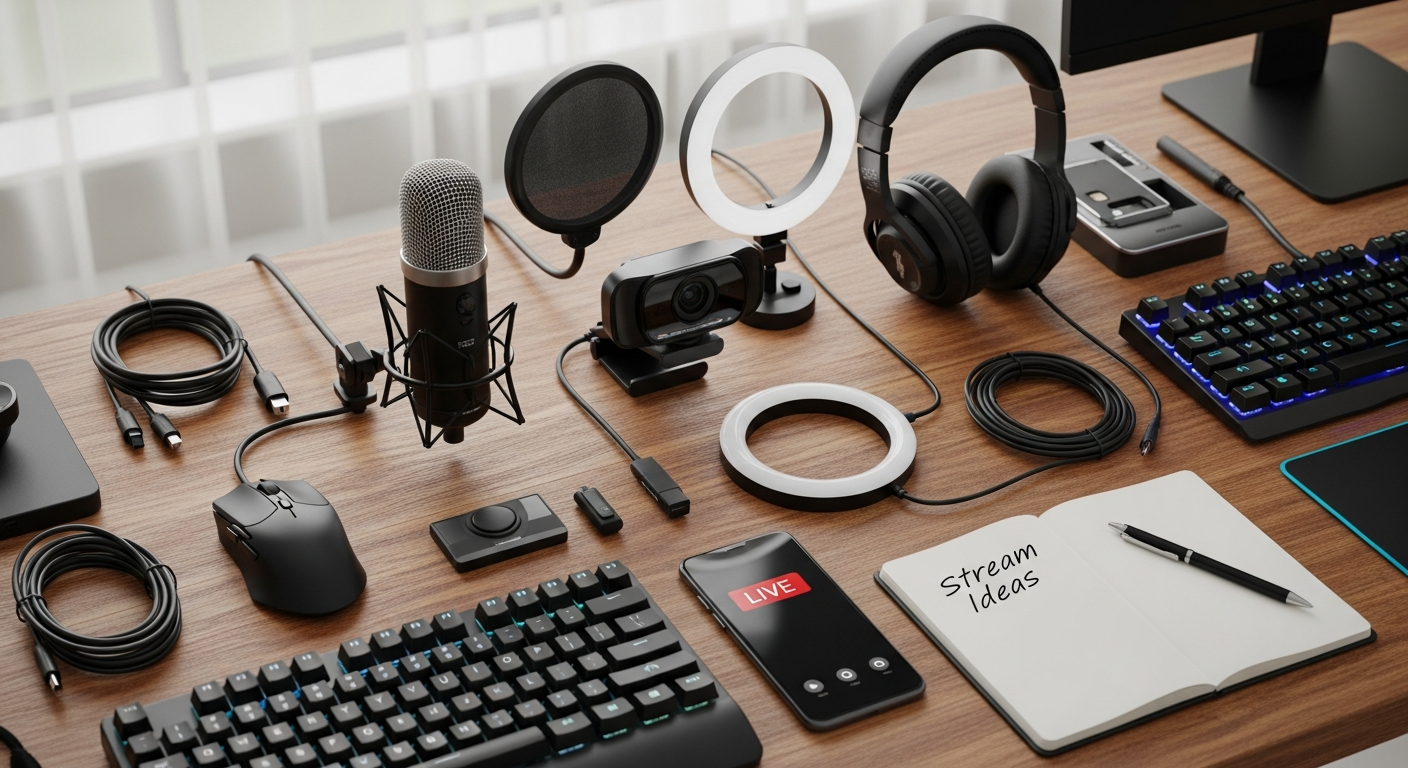
So, you wanna be a streamer, huh? It's the 21st century's version of chasing the rockstar dream, only instead of screaming fans, you've got… well, hopefully, you've got someone watching. But whether you're dreaming of Fortnite glory, crafting captivating ASMR, or building the next big podcast empire, you’re gonna need the right tools. That’s where streaming gear comes in.
But here's the thing: wading through all the options? It can feel like trying to find a decent coffee in a gas station. Overwhelming is an understatement. You've got microphones, cameras, lighting, capture cards... the list goes on. Don't panic! I'm here to guide you through the essential equipment that'll take you from zero to streaming hero (or, at least, to "watchable.")
The Core Essentials: Streaming Gear You Can't Live Without
First things first, let's talk about the absolute necessities. The stuff that's non-negotiable if you want to create anything resembling professional-quality content. These are your building blocks.
- A Decent Microphone: Seriously, folks, audio is king. You can get away with potato-quality video (to a point), but no one will stick around if you sound like you're broadcasting from inside a tin can. Condenser mics are popular for their sensitivity and clarity, but dynamic mics are great if you're in a noisy environment. My personal favorite? The Rode NT-USB+. It's a solid all-rounder.
- A Capable Camera: Your webcam that's been collecting dust since 2010? Probably not gonna cut it. A dedicated webcam like the Logitech Brio or a mirrorless camera like the Sony a6000 is a great streaming camera and will make a world of difference. Think about resolution (1080p is the minimum these days), frame rate (60fps is ideal for smoother motion), and low-light performance.
- Lighting: Never underestimate the power of good lighting! Natural light is your best friend, but it's not always reliable. A simple ring light or a couple of softboxes can work wonders to even out your skin tone and make you look more presentable. I remember when I started streaming, I had terrible lighting, and the difference it made when I finally invested in some proper lights was night and day.
Beyond the Basics: Leveling Up Your Streaming Game
Okay, so you've got the essentials covered. Now, let’s get to some more advanced gear.
- Capture Card (if you're gaming): Streaming console games? You'll need a capture card like the Elgato HD60 S+. It takes the video signal from your console and feeds it into your computer so you can stream it. This is crucial for a smooth and high-quality stream.
- Stream Deck: This is basically a customizable control panel for your stream. You can use it to switch scenes, launch applications, control audio, and much more with the press of a button. It's a massive time-saver and allows you to react to your viewers, but it is optional.
- Green Screen: Want to transport yourself to a tropical beach or the deck of a spaceship? A green screen allows you to overlay your image onto any background you want. It's a fun way to add some visual flair to your stream.
The Software Side of Things: Streaming Platforms
Hardware's only half the battle. You also need the right software to bring everything together. OBS Studio is the most popular choice, and for good reason: it's free, open-source, and incredibly powerful. It can be a little intimidating at first, but there are tons of tutorials online to help you get started.
Another popular option is Streamlabs Desktop, which is built on top of OBS Studio but offers a more streamlined and user-friendly interface. Think of it as OBS Studio with training wheels. Also remember to choose the right platform to stream on. Here is a great online game for playing.
Audio Nirvana: Fine-Tuning Your Sound
I keep coming back to audio because, seriously, it's that important. Don't just plug in your microphone and call it a day. Take the time to fine-tune your audio settings to get the best possible sound.
Use a noise gate to eliminate background noise, a compressor to even out your dynamic range, and an EQ to tweak the overall tone of your voice. There are plenty of free plugins available that can help you with this. Trust me, your viewers will thank you.
FAQ: Your Burning Streaming Questions Answered
Alright, let's tackle some common questions I see floating around.
How do I know if my internet is good enough for streaming?
This is a big one! You'll need a decent upload speed to stream smoothly. As a rule of thumb, aim for at least 5 Mbps for 720p streaming and 10 Mbps for 1080p. Run a speed test to see what you're working with. Remember, other devices using your internet connection will eat into your available bandwidth.
What's the deal with bitrates?
Bitrate is essentially the amount of data you're sending to the streaming platform per second. Higher bitrates mean better video quality, but they also require more bandwidth. Most platforms have recommended bitrate settings, so check those out.
Do I really need a fancy microphone? Can't I just use my headset mic?
Okay, here's the thing: a dedicated microphone will always sound better than a headset mic. Headset mics are often designed for convenience, not sound quality. That said, if you're on a tight budget, a decent gaming headset can be a good starting point. But as soon as you can, upgrade to a dedicated microphone.
Is streaming gear really worth the investment?
Absolutely! Think of it this way: you're investing in your content and your audience's experience. Better gear leads to better quality, which leads to more viewers, which leads to… well, hopefully, some actual income! It's a virtuous cycle.
What's the most frustrating thing about getting into streaming?
For me, it's the constant tinkering! There's always something to tweak, optimize, or upgrade. But hey, that's part of the fun, right? The trick is not getting too bogged down in the technical details and actually focusing on creating awesome content.
So, there you have it. Your guide to the essential streaming gear. Remember, it's not about having the most expensive equipment; it's about having the right equipment for your needs and your budget. Now get out there and start creating!














![Peggle [FLASH] Game](https://gamerewardz.com/thumbs/peggle-flash-game_2.webp)








