
































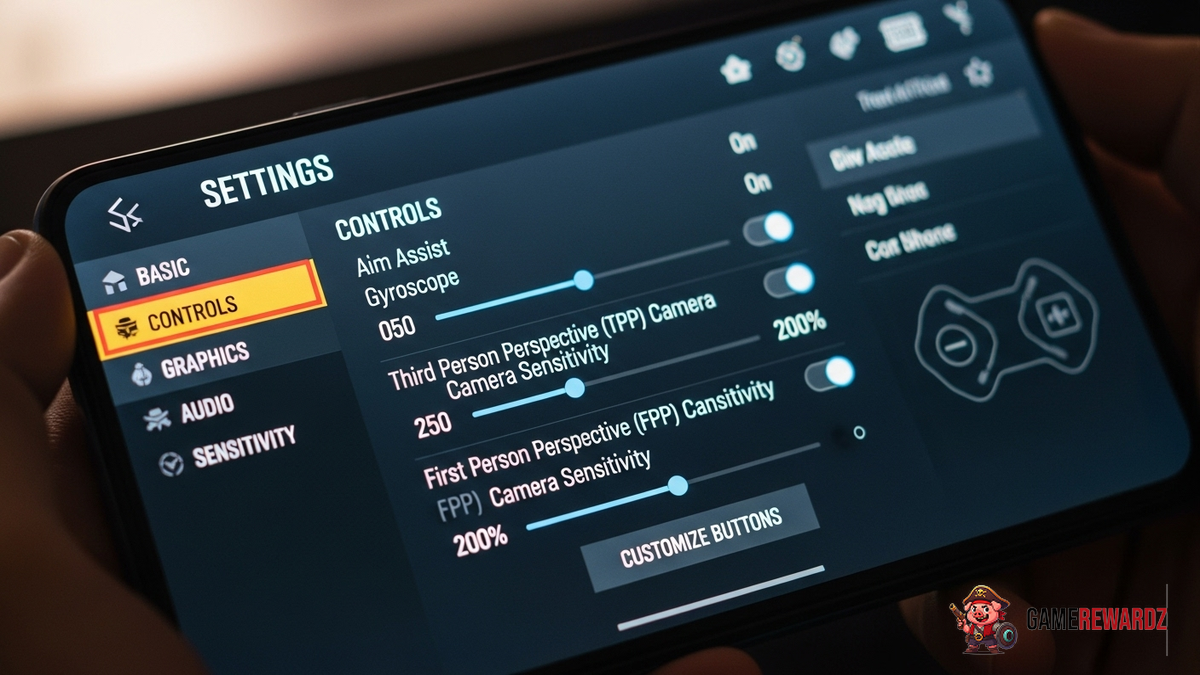
Okay, let's dive into the world of PUBG Mobile pro settings. I've got to admit, this part fascinates me. It's not just about copying what the pros do; it's understanding why they do it. You might be thinking, 'Just give me the settings!' But trust me, there's more to it than meets the eye.
See, I remember when I first started playing PUBG Mobile. I was all over the place. Sensitivity was cranked up to 11, and I thought more was better. Spoiler alert: it wasn't. I was basically spinning in circles like a confused puppy. It wasn't until I started paying attention to what the pros were doing that I started to see real improvement. Not just copying them blindly, mind you. Understanding their settings, then tweaking those settings to fit my gameplay style. As highlighted on CrazyGames, finding the right setup is key.
The frustrating thing about this topic is that there's no one-size-fits-all solution. What works for one pro might be a disaster for you. But hey, that's what makes it interesting, right? It's all about experimentation and finding what clicks. Let's break down some of the key areas, shall we?
Understanding Sensitivity Settings
This is the big one. Sensitivity is everything. It dictates how quickly your character moves and aims. The pros spend hours, hours fine-tuning these settings. The goal? A perfect balance between speed and precision. For example, many professional players prefer a lower sensitivity for ADS (Aim Down Sight) aiming because it offers greater accuracy when firing at distant targets. But then compensate with higher sensitivities for no-scope and red-dot engagements. I initially thought a universal sensitivity setting would be ideal, but after looking deeper, I found that customizing it based on scopes and situations is crucial.
And here's a little secret that often gets overlooked: acceleration. Some players prefer to disable acceleration altogether, opting for a consistent response regardless of how quickly they move their thumb. Others like a little bit of acceleration to help with quick turns and reactions. Try both. See what feels right.
Also, check out this guide on how to unlock rare outfits BGMI. You may not be a pro, but you can at least look like one!
Display and Graphics Configuration
Graphics settings are another crucial area. You want the game to look good, sure, but performance is king. Pros typically prioritize frame rate over visual fidelity. They'll often lower graphics settings to ensure a smooth, consistent 60fps (or even higher if their device supports it). Why? Because a higher frame rate gives you a competitive edge. You see things sooner, react faster, and generally have a more responsive experience. Let me try to explain this more clearly. It's like comparing a slideshow to a movie. Which one would you rather watch if you were trying to spot a hidden detail?
Many players also tweak their display settings to enhance visibility. This might involve adjusting brightness, contrast, or colorblind modes to make it easier to spot enemies in different environments. And here’s the thing, this isn’t just about preference; it's about gaining a tactical advantage. Those subtle adjustments can make all the difference in a close-quarters encounter.
But, don’t just crank everything down to the lowest setting blindly. Experiment. Find a balance that works for your device and your eyes. Maybe you can afford to bump up the textures a bit without sacrificing too much frame rate. It’s all about finding that sweet spot.
Customizing Your Control Layout
I keep coming back to this point because it’s crucial: your control layout is personal. Copying a pro's layout might seem like a shortcut, but it's often a recipe for disaster. Their layout is tailored to their specific hand size, grip style, and play style. Yours needs to be tailored to you. Think about it this way: would you wear someone else's shoes without trying them on? Probably not. The same logic applies to your controls.
Experiment with different button placements, sizes, and transparency levels. Consider using the claw grip (using more fingers to control the screen) if you want to have more control over aiming and movement simultaneously. But be warned: it takes time to get used to. I remember when I first tried the claw grip. My fingers felt like they were tied in knots. But after a few weeks of practice, it became second nature.
And don’t be afraid to deviate. Maybe you prefer the jump button on the left side of the screen. Maybe you like a larger fire button. It’s all about finding what feels most comfortable and intuitive for you. The team over at Gamerewardz have some interesting takes. Check out this article on Fortnite hidden event free skins, for some inspiration.
Top PUBG Mobile Pro Player Settings: FAQs
How do I know if I'm using the right sensitivity settings?
Great question! The best way to know if your sensitivity settings are right for you is to test them extensively in training mode and in actual matches. Pay attention to how easily you can track moving targets, how quickly you can react to unexpected threats, and how comfortable you feel with your aiming. If you find yourself overshooting or undershooting your targets consistently, or if you struggle to make fine adjustments, it's a sign that your sensitivity settings need tweaking. Start by making small adjustments (1-2% at a time) and then test them again until you find a balance that works for you.
Why do pros use lower graphics settings?
This is a common misconception. It's not that pros want to use low graphics settings; it's that they prioritize performance above all else. Lowering the graphics settings reduces the load on your device's processor and graphics card, which results in a higher and more consistent frame rate. A higher frame rate translates to smoother gameplay, reduced input lag, and a more responsive experience overall. This is especially important in a fast-paced game like PUBG Mobile, where every millisecond counts.
Is it okay to copy a pro's control layout?
Well... yes and no. While it can be helpful to get inspiration from pro players' control layouts, it's important to remember that what works for them might not work for you. Your control layout should be tailored to your own hand size, grip style, and play style. Feel free to experiment with different layouts and button placements, but ultimately, the best control layout is the one that feels most comfortable and intuitive for you.
What's the biggest mistake amateur players make when adjusting their settings?
The biggest mistake is not understanding why they're making the changes. Players frequently crank settings up to the max or blindly copy what they see online without considering the impact on their performance. Take the time to understand what each setting does and how it affects your gameplay. Experiment, test, and adjust gradually until you find a setup that works best for you.
Final Thoughts: Find Your Flow
Ultimately, finding the top PUBG Mobile pro player settings that work for you is a journey, not a destination. It's about continuous experimentation, adaptation, and refinement. Don't be afraid to break the mold, challenge conventional wisdom, and forge your own path. And most importantly, have fun! Because at the end of the day, that's what gaming is all about.














![Peggle [FLASH] Game](https://gamerewardz.com/thumbs/peggle-flash-game_2.webp)








