
































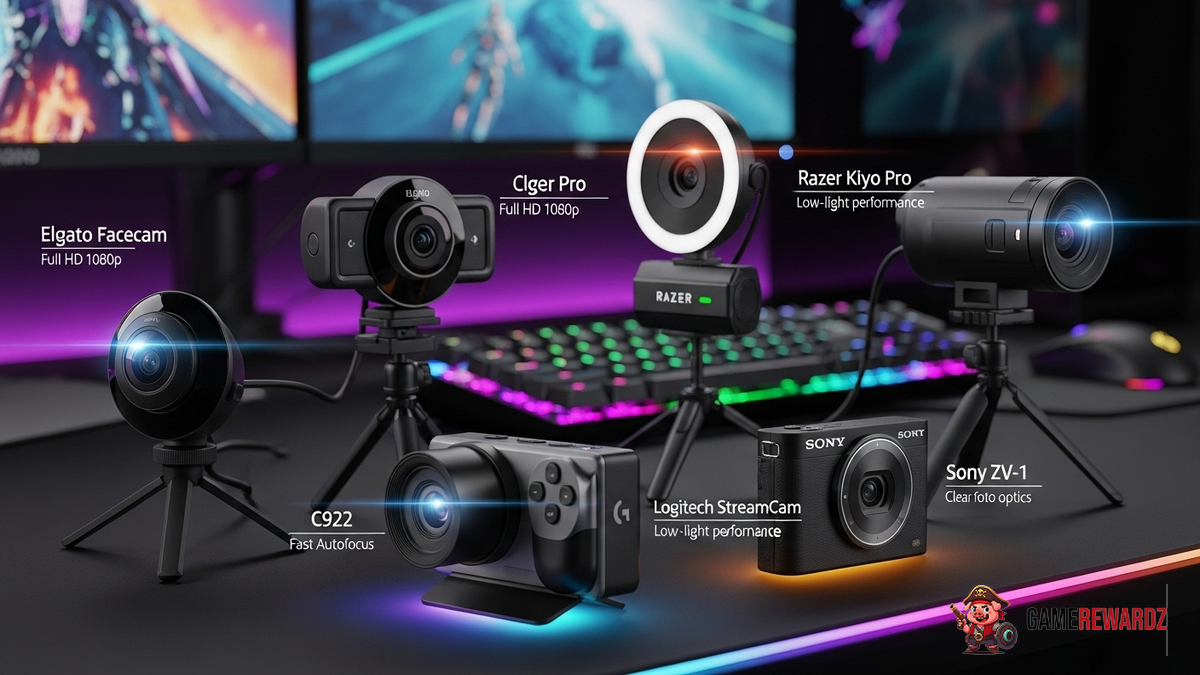
Let's be honest, stepping into the world of game streaming feels a bit like walking into a high-tech funhouse, right? Gear everywhere, software that speaks its own language, and then there's the most important part for a streamer's success-- trying to actually look good while you're battling dragons or building digital empires. And here is the thing: the first step to all of that is nailing your video quality.
Which brings us to the star of the show: streaming cameras. Now, I'm not just talking about any old webcam you found in a dusty drawer. No, no. We're diving deep into the realm of the top streaming cameras for gamers – the kind that can make your pixelated avatar look practically lifelike. After all, that's what we're aiming for here! And actually the truth is that sometimes the simple solution is best.
Before we get ahead of ourselves, it's worth thinking about the kind of content you want to create. Are you a speedrunner who wants to show off every twitch of your fingers? Or are you more of a story-driven streamer who likes to chat with your viewers? (Or a mix of both, like most of us?). Thinking about this at the beginning can save you a lot of time and money down the line.
Why a Good Streaming Camera Matters (and It's Not Just Vanity)
I know, I know – it can feel a little shallow to focus on how you look. But here's the thing: a good streaming camera isn't just about vanity. Sure, it can help you look more polished and professional (especially important if you're trying to build a brand). But it's also about creating a better experience for your viewers. Think about it: would you rather watch a stream with a blurry, pixelated image, or one that's crisp, clear, and engaging?
I mean, consider the opposite. I remember watching one streamer, a really talented guy with amazing gameplay. But his camera was so bad, it looked like he was streaming from inside a potato. It was distracting! You couldn't see his reactions properly, and it honestly made it harder to connect with him. Don't let that be you, basically.
And it goes beyond just looking good. A decent camera allows for better lighting (more on that later), which can drastically improve the overall feel of your stream. It also opens up opportunities for things like green screen effects and other visual enhancements that can make your content more dynamic. Plus, it's one less thing to worry about when you're trying to focus on your game.
Navigating the Camera Jungle: Key Features to Consider
Alright, so you're convinced. You need a better camera. But where do you start? Well, let's break down some of the key features you should be looking for:
- Resolution and Frame Rate: Aim for at least 1080p resolution at 30 frames per second (fps). 60fps is even better if your budget allows, as it will make your movements look smoother and more natural.
- Lens Quality: The lens is what actually captures the image, so don't skimp on this. Look for a camera with a good quality lens that can produce sharp, clear images even in low light conditions.
- Autofocus: This is a game-changer, especially if you tend to move around a lot while streaming. A good autofocus system will keep you in focus even when you're fidgeting or reaching for that Mountain Dew.
- Microphone: Many streaming cameras come with built-in microphones. While these are okay for basic use, I highly recommend investing in a dedicated microphone for the best audio quality. If you're interested in learning more about streaming gear, this article about texture packs might be helpful.
- Connectivity: Most streaming cameras connect via USB, which is simple and convenient. However, some higher-end cameras may offer other options like HDMI or SDI.
It's worth thinking through the different connection types. Actually, that's not quite right: it's worth understanding them. USB is plug-and-play, and generally fine, and may be all you need. But pro's use HDMI and SDI for a reason: stability. And that may be what you need if your stream is a core part of your income.
And don't forget to check Crazy Games for some fun diversions while you think about your cam setup!
Top Camera Recommendations (Based on Real-World Use)
Okay, now for the fun part: recommendations! I've tested a lot of streaming cameras over the years, and these are some of my top picks, based on different needs and budgets:
- Logitech C920s: An oldie but a goodie. This is a fantastic entry-level camera that offers great value for the price. It delivers solid 1080p video quality, has decent autofocus, and is super easy to set up.
- Razer Kiyo Pro: If you need a camera that can handle low light conditions, the Kiyo Pro is a great choice. It features an adaptive light sensor that automatically adjusts the image based on the lighting in your room.
- Elgato Facecam: Designed specifically for streaming, the Facecam offers excellent image quality, a wide range of customization options, and seamless integration with Elgato's Stream Deck software.
- Sony Alpha Series (with capture card): Okay, this is a step up in price and complexity, but if you're serious about achieving the absolute best video quality, a mirrorless camera like the Sony Alpha series is the way to go. You'll need a capture card to connect it to your computer, but the results are well worth it. More generally, for the best results, you'll want to keep your software updated. You can check out this link for general software up to date : Software Update
Before you pull the trigger, shop around! Prices fluctuate all the time, especially on used equipment. And read reviews – not just from tech sites, but from other streamers. Their experiences are often more relevant to your needs.
Lighting and Placement: The Unsung Heroes
Listen, you can have the fanciest camera in the world, but if your lighting sucks, your stream will suffer. I can't stress this enough. Good lighting is absolutely essential for creating a professional-looking stream.
Here's a quick rundown of some basic lighting tips:
- Avoid backlighting: Don't sit with a window behind you, as this will make you look like a silhouette.
- Use multiple light sources: A single light source can create harsh shadows. Use two or three lights to create a more balanced and flattering look.
- Consider a ring light: Ring lights are a popular choice for streamers because they provide even, diffused lighting that eliminates shadows.
- Experiment with color temperature: Warmer light (around 2700K) can create a cozy, inviting atmosphere, while cooler light (around 5000K) can make you look more awake and alert.
Placement is also crucial. Make sure your camera is positioned at eye level or slightly above, and that it's not too far away or too close. You want to frame your face in a way that's flattering and engaging. And don't be afraid to experiment with different angles and compositions. It might take some trial and error to find what works best for you.
FAQ: Common Questions About Streaming Cameras
How do I know if my internet is good enough for streaming?
This is a big one! The last thing you want is a laggy stream that frustrates your viewers (and you!). You'll need a stable internet connection with sufficient upload speed. As a general rule, aim for at least 5 Mbps upload speed for 720p streaming, and 10 Mbps for 1080p streaming. You can use online speed test tools to check your internet speed. But keep in mind that your actual streaming performance may vary depending on network congestion and other factors.
Why does my stream look blurry even with a good camera?
Several factors can contribute to a blurry stream, even if you have a high-quality camera. One common culprit is incorrect streaming settings. Make sure your streaming software is configured to output at the correct resolution and bitrate. Another possibility is that your internet connection is not stable enough to support your chosen settings. Try lowering your resolution or bitrate to see if that improves the image quality. Lighting can also play a role, as mentioned earlier.
Is it worth getting a 4K streaming camera?
Honestly, for most streamers, a 4K camera is overkill. While the image quality will be noticeably better, 4K streaming requires a lot more bandwidth and processing power. Unless you have a top-of-the-line computer and a super-fast internet connection, you're unlikely to be able to stream in 4K without experiencing performance issues. Plus, many viewers may not be able to watch your stream in 4K anyway, as it requires a compatible display and a fast internet connection on their end. Stick with 1080p for now, and maybe consider upgrading to 4K in the future when the technology becomes more accessible.
What's the best way to position my camera for a flattering angle?
Ah, the age-old question! As a general rule, positioning your camera slightly above eye level can create a more flattering angle. This helps to elongate your neck and jawline, making you look slimmer and more defined. Avoid positioning the camera too low, as this can create a double chin effect. Experiment with different angles and distances to find what works best for your face shape. You can also use a mirror or ask a friend for feedback.














![Peggle [FLASH] Game](https://gamerewardz.com/thumbs/peggle-flash-game_2.webp)








