
































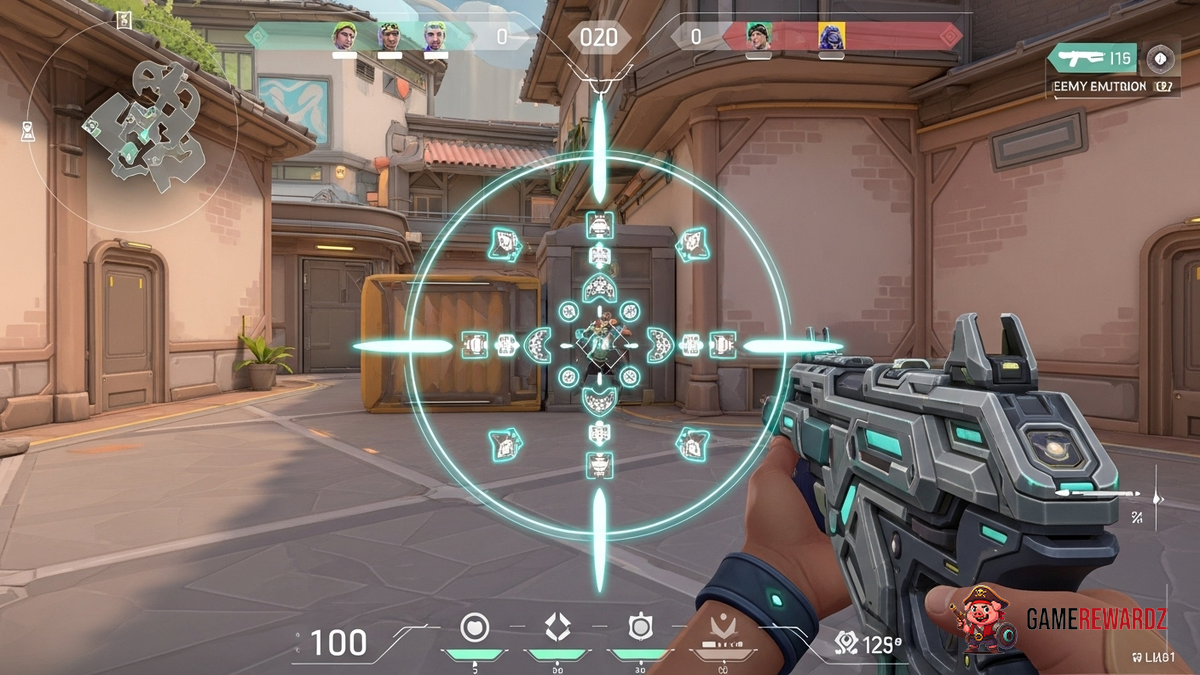
Valorant’s Secret Crosshair – Become a Headshot Machine!
Okay, let's be honest. We've all been there. Staring at the kill feed, watching some radiant-level player rack up headshots like it's nobody's business. You're spraying and praying, hoping for a lucky body shot, while they're popping heads with laser-like precision. What's their secret? Is it raw talent? Years of practice? Maybe. But I'm going to let you in on a little something: A lot of it comes down to the crosshair. And believe me, there is a secret crosshair.
Now, I know what you're thinking: "Crosshairs? Really? That's it?" Stick with me, because it's not just about picking any old crosshair. It's about finding the one that clicks with your play style, your monitor, and maybe even your subconscious. It's about crafting a visual aid that turns you into a headshot machine, or at least, nudges you in that direction.
I initially thought that crosshairs were just a cosmetic thing. Something to make your game look cool. But boy, was I wrong. After diving deep into forums, watching countless pro streams, and experimenting myself (and let me tell you, there were some truly hideous crosshairs in the mix), I've come to appreciate the power of a well-configured reticle. Here is a very interesting article here.
Finding the Perfect Fit: Crosshair Customization
Valorant gives you a surprising amount of control over your crosshair. We're not just talking about color here, although that's important too. You can tweak everything from the outline thickness to the inner and outer line offsets. It's a playground for pixel-perfect customization. But with so many options, where do you even start?
The frustrating thing is, there isn't a single "best" crosshair. What works for one player might be a total disaster for another. It all comes down to personal preference and play style. That said, there are some general guidelines that can help you narrow down your options.
Static vs. Dynamic: This is a big one. Static crosshairs stay the same size regardless of your movement or firing, while dynamic crosshairs expand when you move or shoot, giving you a visual representation of your inaccuracy. For precise aiming, especially with weapons like the Vandal or Phantom, a static crosshair is generally preferred. Dynamic crosshairs can be useful for shotguns or more aggressive playstyles, but they can also be distracting.
Color: Don't underestimate the importance of color! You want a crosshair that stands out against the background, but isn't so bright that it blinds you. Many players prefer green or cyan, as they contrast well with most environments. I've also seen some people swear by pink or yellow. Experiment and see what works best for you. It might be a good idea to also visit this external link to kill some time
Thickness and Outline: Here's where things get interesting. A thicker crosshair can be easier to see, but it can also obscure your target. An outline can help your crosshair stand out against busy backgrounds, but too thick an outline can feel clunky. It's all about finding the right balance.
Inner and Outer Lines: These are the lines that make up the crosshair itself. You can adjust their length, thickness, and offset (the distance from the center of the screen). Some players prefer a simple cross, while others like a small dot in the center. Experiment with different combinations to see what feels most natural.
But here is a fantastic article to read while you're here: Article
Valorant's Secret Crosshair: Copying the Pros?
One common approach is to simply copy the crosshair settings of a pro player. You can find these settings online with a quick search. While this can be a good starting point, it's important to remember that what works for a pro might not work for you. Their play style, monitor size, and personal preferences are all different.
Instead of blindly copying, use pro settings as inspiration. Tweak them to fit your own needs. Maybe you like the color of S1mple's crosshair, but you prefer a slightly thicker outline. Or maybe you like the inner line offset of TenZ, but you prefer a static crosshair. Experiment and find what works best for you.
Actually, that's not quite right. It's not just about copying parts of pro crosshairs. It's about understanding why they use those settings. For example, a pro who plays a lot of Jett might prefer a dynamic crosshair because they're constantly moving and dashing. Understanding the reasoning behind the settings can help you make more informed decisions about your own crosshair.
Beyond the Basics: Advanced Crosshair Techniques
Once you've mastered the basics, you can start experimenting with more advanced techniques. One popular technique is to use a very small, minimalist crosshair. The idea is that a smaller crosshair is less distracting and allows you to focus more on your target. However, this can be difficult to see, especially on smaller monitors or against busy backgrounds.
Another technique is to use a crosshair with a gap in the center. The gap allows you to see your target more clearly, but it can also make it more difficult to aim precisely. This technique is often used by players who prefer to aim with their whole arm, rather than just their wrist.
The most important thing is to find a crosshair that you're comfortable with and that allows you to aim accurately. Don't be afraid to experiment and try new things. And don't get discouraged if it takes you a while to find the perfect crosshair. It's a process.
Valorant's Secret Crosshair: Practice, Practice, Practice
Here's the thing: Even the best crosshair in the world won't magically make you a headshot machine. It takes practice. A lot of practice. Spend time in the range, practicing your aim with your new crosshair. Focus on your crosshair placement and try to keep it at head level. Train yourself to react quickly and accurately.
The frustrating thing about this topic is, you can have the perfect sensitivity, crosshair and still miss shots. Ultimately, practice does make perfect, or at least, dramatically increases your chances of popping heads in Valorant. I remember when I was first messing around with my sensitivity; I would over-shoot flicks all the time! Now I have a set sensitivity that I stick too in all games.
FAQ: Mastering Your Valorant Crosshair
How do I find the crosshair settings of a pro Valorant player?
A quick Google search for "[Pro Player Name] Valorant crosshair settings" will usually yield results. Many websites and YouTube videos compile pro player settings. However, remember that copying pro settings directly might not be the best approach. Use them as inspiration, but tweak them to fit your own play style and preferences.
Why does my crosshair disappear sometimes in Valorant?
This can happen if you've accidentally enabled the "Fade Crosshair With Firing Error" setting in your crosshair customization options. This setting makes your crosshair fade slightly when you fire your weapon, which some players find distracting. Disable this setting if you want your crosshair to remain visible at all times.
How do I know if my crosshair is actually helping me improve?
Pay attention to your in-game performance. Are you hitting more headshots? Are you feeling more comfortable and confident with your aim? If so, your new crosshair is likely having a positive effect. If not, don't be afraid to experiment with different settings until you find something that works better. Don't be afraid to go back to the drawing board either, it can take some time!
What's the biggest mistake people make when choosing a Valorant crosshair?
I think the biggest mistake is sticking with the default crosshair or using a crosshair that looks cool but isn't actually functional. Your crosshair is a tool, and it should be chosen based on its effectiveness, not its aesthetic appeal. Take the time to experiment with different settings and find a crosshair that genuinely improves your aim.














![Peggle [FLASH] Game](https://gamerewardz.com/thumbs/peggle-flash-game_2.webp)








