
































So, you want to build a budget gaming PC for 2025? Excellent choice! Listen, the thing is, PC gaming doesn't have to break the bank. Actually, with a little planning, a little bargain hunting, and maybe a dash of clever repurposing, you can absolutely frag noobs (or, you know, enjoy stunning single-player experiences) without emptying your wallet. It's totally possible to get a great bang for your buck. I initially thought it was all about just finding the cheapest parts, but after looking deeper, it's more like a smart combination of value, performance, and future-proofing.
Why Build a Budget Gaming PC in 2025?
You might be wondering, why even bother building one now? Can't you just buy a console? Sure, consoles are convenient. But building your own PC gives you so much more flexibility. Upgradability? Check. Customization? Check. The sheer joy of tinkering and making something your own? Double-check! Plus, let's be honest, PCs can do a whole lot more than just play games. Think about it this way, it's an investment. A versatile one at that.
But here's the thing: the market changes fast. What was a killer deal last year might be overpriced junk this year. That's why we're focusing on 2025 – to give you a forward-looking perspective. I keep coming back to this point because it's crucial: planning ahead saves money in the long run. For example, IGN's guide to building a cheap gaming PC offers a helpful framework for thinking about components.
Key Components for a Low-Cost Gaming PC
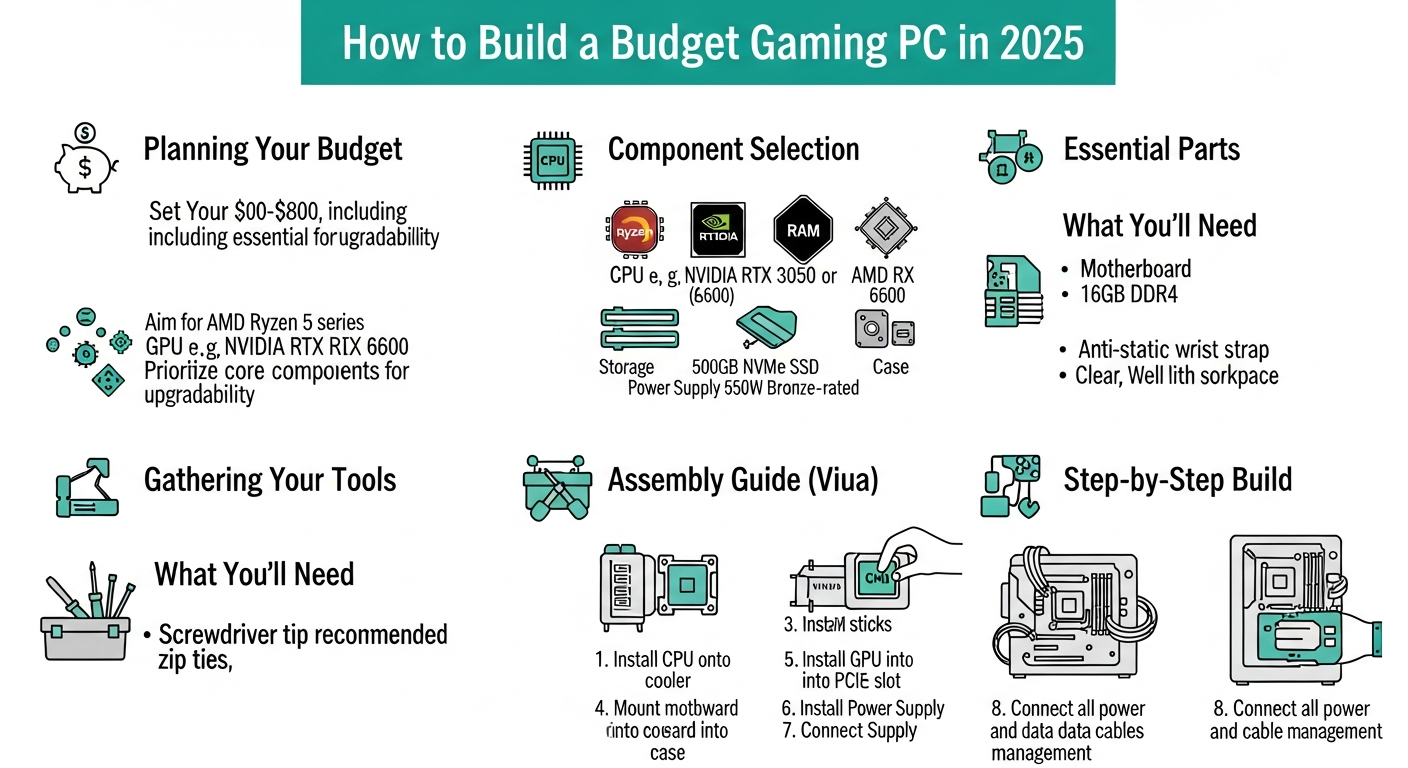
Okay, let's get down to brass tacks. What parts do you actually need? And more importantly, where can you save money? Here's a breakdown:
- CPU (Central Processing Unit): This is the brain of your PC. AMD Ryzen CPUs often offer excellent value in the budget range. Seriously, don't sleep on AMD.
- GPU (Graphics Processing Unit): The heart of your gaming experience. This is where you might need to spend a bit more, but even here, there are smart choices. Look for previous-generation cards that still pack a punch.
- Motherboard: The backbone that connects everything. A basic, but reliable motherboard will do just fine.
- RAM (Random Access Memory): 16GB should be your target for modern games.
- Storage: A fast NVMe SSD for your operating system and games is essential. Ditch the old mechanical hard drives.
- Power Supply: Don't skimp here! A reliable PSU is crucial for system stability.
- Case: This is where you can really save money. Find a cheap case with good airflow.
The frustrating thing about this topic is that prices fluctuate so much. So, doing your research is essential. I would like to add, don't think just about the price tag. You have to think about the value of each component.
Finding the Sweet Spot: Balancing Cost and Performance
This is the tricky part. It's not just about buying the cheapest of everything. You need to find the sweet spot where cost and performance meet. But here's where things get interesting. Consider buying used components. Websites like eBay can be goldmines for deals on GPUs and other parts. Just be careful and do your research before buying anything used.
Actually, that's not quite right, it's about smart purchasing, you could find something that is cheaper now, but would be expensive in the long run. During my five years working with computers, I have seen a lot of cases where the owners purchase low end components, that end up broken within the first year.
And speaking of research, don't forget to check out benchmarks and reviews. See how different components perform in real-world gaming scenarios. Top Gaming Streamers to Follow. Which brings me to another point!
Future-Proofing Your Budget Build
Okay, so you've built your budget gaming PC. Great! But what about the future? Games are only going to get more demanding. So, how can you future-proof your build without spending a fortune? The answer is upgradability. Choose components that can be easily upgraded in the future. A modular power supply, for example, makes upgrading your GPU later much easier. Another thing is to go to gaming sites like Crazy Games and see their recommendation for pc gaming.
Understanding the 2025 Landscape
The tech world moves at warp speed. By 2025, we'll likely see new CPUs, GPUs, and storage technologies. What does this mean for your budget build? Well, it means you need to be adaptable. Don't be afraid to upgrade components as needed. Start with a solid foundation, and then upgrade as your budget allows.
While X has these benefits, it's important to recognize that new technology often comes with a premium price tag. So, don't feel like you need to have the absolute latest and greatest. Often, the previous generation offers excellent value.
Think about it this way: a well-planned budget gaming PC can provide years of enjoyment. It's not just about playing games; it's about the satisfaction of building something yourself. Here's a Fortnite Settings article.
FAQ: Budget Gaming PC in 2025
How much should I budget for a gaming PC in 2025?
That's the million-dollar question (or, you know, the $500 question). It really depends on your target resolution and framerate. For 1080p gaming at 60fps, you can probably get away with a $500-$700 budget. For 1440p or higher, you'll need to spend more. But even then, you can still find great deals if you're willing to do some research and buy used components. The important thing is setting a realistic budget and sticking to it.
What's the most important component to splurge on for a budget gaming PC?
Generally, the graphics card (GPU) is the most important component for gaming. A stronger GPU will have a much more significant impact on your gaming experience than a faster CPU or more RAM. However, it's important to balance your spending. Don't pair a high-end GPU with a low-end CPU, as that will create a bottleneck.
Is it worth buying used components for a budget gaming PC?
Absolutely! Buying used components can save you a ton of money. GPUs, CPUs, and RAM are all good candidates for buying used. Just be sure to do your research and buy from reputable sellers. Check the seller's feedback and read reviews before making a purchase. And always test the components thoroughly as soon as you receive them. It's a bit risky, but the savings can be significant.
How can I keep the cost down when building a gaming PC?
There are several ways to keep the cost down. As mentioned earlier, buying used components is a great option. You can also save money by choosing a cheaper case, opting for a smaller SSD, and using the stock CPU cooler. Also, don't be afraid to wait for sales and deals. Prices on PC components fluctuate all the time, so patience can pay off.
What are some common misconceptions about budget gaming PCs?
One common misconception is that you can't build a decent gaming PC on a budget. That's simply not true! With a little planning and research, you can absolutely build a capable gaming PC without breaking the bank. Another misconception is that you need the latest and greatest components to enjoy modern games. Again, that's not true. Older components can still provide a great gaming experience, especially at lower resolutions and settings.














![Peggle [FLASH] Game](https://gamerewardz.com/thumbs/peggle-flash-game_2.webp)








