
































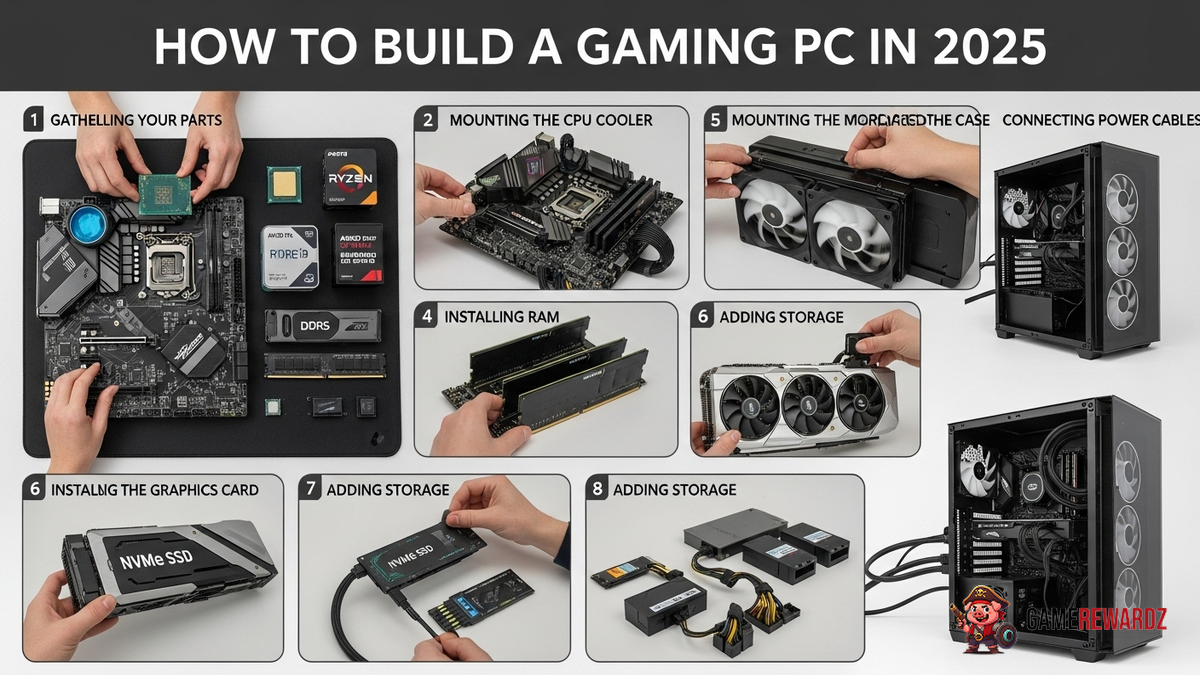
Okay, let's talk about something seriously exciting: building your own gaming PC. In 2025. Now, I know what you might be thinking, "2025? That's ages away!" But trust me on this, the tech world moves fast. Like, warp-speed fast. Planning ahead is key if you want a rig that'll still be tearing through the latest AAA titles without breaking a sweat.
I remember back in 2018 when I first decided to build my own PC. It was a daunting task. All the components, compatibility issues, the fear of frying something expensive... but hey, fast forward to today and that beast is still running strong – albeit with a few upgrades along the way. But you may be thinking that how can I improve my Reflex Aim skills? Well there are many ways. GameRewardz has provided some gaming tips.
The Core Components: A 2025 Perspective
Let's dive into the guts of the machine. We're talking CPU, GPU, RAM, storage, motherboard, PSU (power supply unit), and cooling. The usual suspects, right? But the 2025 versions will be packing some serious heat (literally and figuratively).
CPU: By 2025, we're likely looking at more cores than ever before, with even more advanced architectures from AMD and Intel. Think about games designed from the ground up to leverage multiple cores for insane physics calculations and AI processing. Single-core performance will still matter, but the emphasis will be on parallelism. I'd put my money on something from AMD's Ryzen 9000 series or Intel's 16th gen Core i-series… or maybe something entirely new will have disrupted the market by then? Who knows! But if you still don't have an account to access games, you may like to check this site.
GPU: Ah, the graphics card – the heart of any gaming PC. Nvidia's RTX 6000 series? AMD's Radeon RX 9000 series? Or could Intel's Arc cards actually be a serious contender by then? The big thing will be ray tracing. Expect significantly improved ray tracing performance and wider adoption of the technology in games. 8K gaming might even be a more realistic target for high-end builds. Keep an eye on memory, too. More VRAM will be crucial for those high-resolution textures.
RAM: DDR6 is almost certainly going to be the standard. We're talking faster speeds, lower latency, and probably higher capacities. 32GB should be the sweet spot for gaming, but don't be surprised if 64GB becomes the new normal, especially if you're planning on streaming or doing other multitasking.
Storage: NVMe SSDs are the only way to go. By 2025, even the budget drives will offer blazing-fast speeds. Aim for at least a 1TB SSD for your operating system and games, and consider a larger one if you have a massive game library. Maybe even two SSDs for redundancy, if you're really paranoid (like me!).
Motherboard: The motherboard is the backbone that ties everything together. Make sure it's compatible with your chosen CPU and RAM. Look for features like PCIe 5.0 support for the latest GPUs and NVMe drives, plenty of USB ports (including USB4), and robust VRMs (voltage regulation modules) for stable power delivery.
PSU: Don't skimp on the power supply! A reliable PSU is essential for powering all your components without any hiccups. Aim for at least 850W for a high-end gaming PC, and make sure it's 80+ Gold certified for efficiency. Think of it as an investment in the longevity of your system.
Cooling: With all that power comes heat. A good cooler is crucial for keeping your CPU and GPU running at optimal temperatures. Air coolers are still a viable option, but liquid coolers offer better performance, especially for high-end CPUs. Consider a 240mm or 360mm AIO (all-in-one) liquid cooler for maximum cooling potential. If you're feeling adventurous, custom water cooling loops are always an option, but they require more maintenance.
Wait, there's something even more interesting here... Did you know that you can improve your gaming experience by checking various artifact locations in Genshin Impact? GameRewardz has you covered with the locations.
Future-Proofing: Staying Ahead of the Curve
Okay, so you've picked out all your components. Great! But how do you make sure your PC stays relevant for years to come? That's the million-dollar question, isn't it? Here are a few tips:
- Choose a motherboard with upgrade potential: Look for a motherboard with plenty of expansion slots and support for future CPU generations.
- Invest in a high-quality PSU: A good PSU will last you for years, even if you upgrade other components.
- Don't be afraid to upgrade: As new technologies emerge, don't hesitate to upgrade your GPU, RAM, or storage.
- Keep your drivers updated: Regularly updating your drivers will ensure that your components are running at their best.
The Frustrating Thing About Compatibility
I've got to admit, this part is a pain in the neck. Making sure all your components play nicely together can be tricky. Check the motherboard's QVL (Qualified Vendor List) to see which RAM modules have been tested and verified to work with it. Use a PC building website like PCPartPicker to check for compatibility issues between your components. And if you're still unsure, ask for help on online forums or communities. There are plenty of experienced builders who are happy to lend a hand. I initially thought that all components are compatible, but after looking deeper, there are exceptions.
FAQ: Building Your 2025 Gaming Rig
How do I know if my components are compatible?
That's a crucial question! Use PCPartPicker. Seriously, it's a lifesaver. It'll flag any potential issues, like an incompatible CPU and motherboard socket. Double-check the motherboard's QVL (Qualified Vendor List) for RAM compatibility. Don't just assume everything will work together – a little research goes a long way.
What's the most important component for gaming?
GPU, hands down. While a good CPU is important to avoid bottlenecks, your graphics card does the heavy lifting when it comes to rendering those beautiful game worlds. Invest the most money in your GPU if you want the best gaming experience.
How much RAM do I really need?
In 2025, 32GB should be your starting point. Games are becoming more demanding, and having enough RAM will prevent stuttering and slowdowns. If you plan on streaming or doing other multitasking, 64GB might be worth the investment.
Is liquid cooling worth it?
It depends. For high-end CPUs, liquid coolers generally offer better performance than air coolers. A good AIO (all-in-one) liquid cooler can keep your CPU running cooler and quieter, allowing for higher boost clocks. However, air coolers are often cheaper and require less maintenance. If you're on a tight budget or don't want the hassle of liquid cooling, a good air cooler will still do the job.
How to build a gaming PC in 2025 while minimizing bottlenecking?
Balancing your components is key. Don't pair a top-of-the-line GPU with a low-end CPU, or vice versa. Research which CPUs and GPUs are a good match for each other. A PC building website like PCPartPicker can help you choose components that won't bottleneck each other. But remember, bottlenecking isn't always a bad thing. There will always be some bottleneck in your system, but the goal is to minimize it.
What if I mess something up during the build?
Don't panic! We've all been there. Double-check all your connections, consult the motherboard manual, and search online for solutions. There are tons of helpful videos and forums that can guide you through the troubleshooting process. And if you're really stuck, don't be afraid to ask for help from a friend or a professional. The important thing is to stay calm and patient.
Building a gaming PC in 2025 might seem daunting, but it's definitely achievable with a little planning and research. And honestly? It's incredibly rewarding. There's nothing quite like the feeling of playing your favorite games on a PC that you built yourself. Happy building!














![Peggle [FLASH] Game](https://gamerewardz.com/thumbs/peggle-flash-game_2.webp)








