
































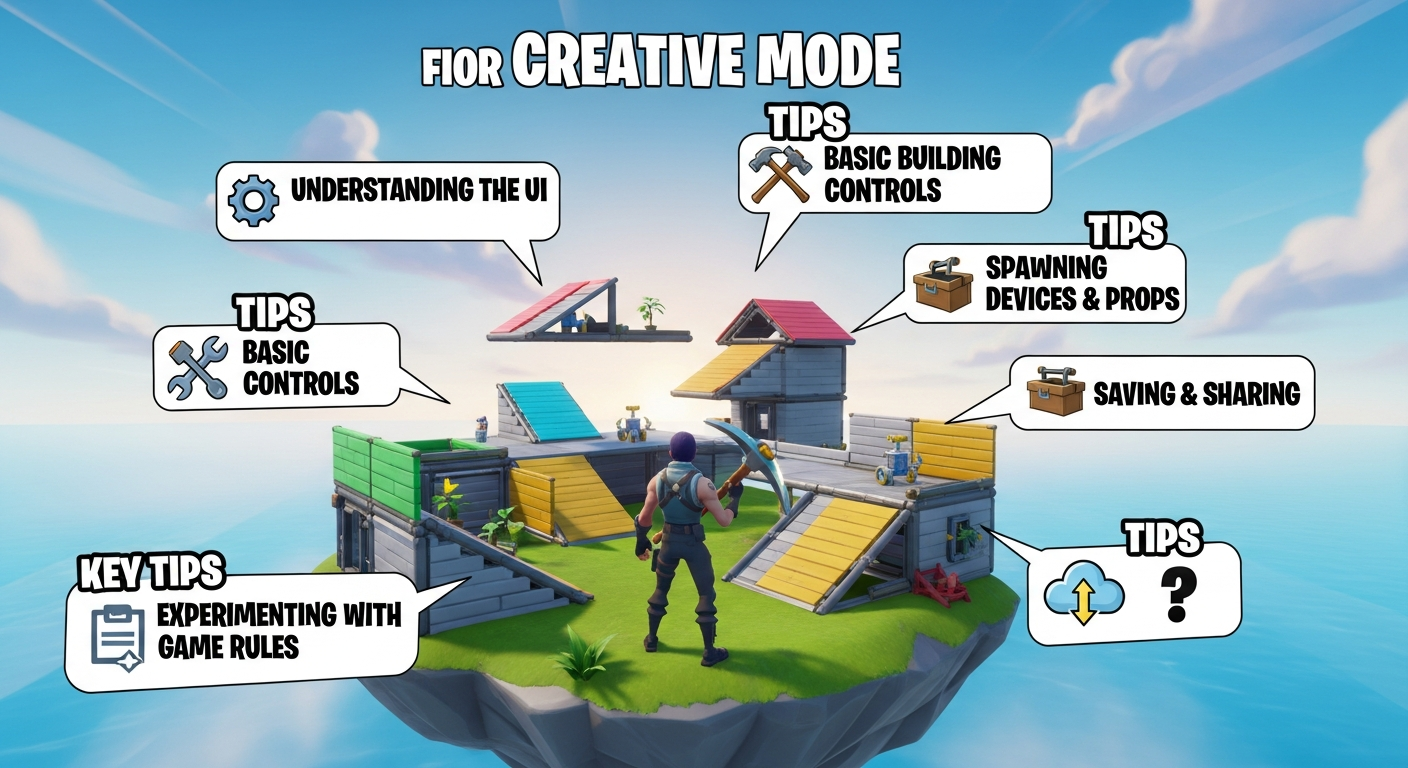
Okay, so you're curious about Fortnite Creative, huh? I get it. When I first dipped my toes into it, I thought it was just another sandbox mode. Build some walls, maybe a ramp or two, and...that's it? Boy, was I wrong. It's a rabbit hole, a portal into a whole universe of player-created content, and honestly, it's where some of the most innovative and hilarious gaming moments happen.
Forget just building forts – we're talking entire theme parks, racing circuits that would make Formula 1 drivers sweat, and even meticulously recreated scenes from your favorite movies. All within Fortnite. Sounds wild, right? It is. And while it might seem intimidating at first, especially with all the menus and options, that's where this guide comes in. Consider it your friendly, slightly caffeinated, hand-holding tour of the Fortnite Creative landscape.
What Exactly Is Fortnite Creative, Anyway?
At its core, Fortnite Creative is a sandbox mode within Fortnite that lets you build and design your own islands and games. But that's like saying a paintbrush is just for painting walls. The possibilities are way bigger. You're given a private island, a set of tools that would make Bob the Builder jealous, and the freedom to create just about anything you can imagine. Really, the only limit is your own creativity (and maybe the memory limits of the island, but we'll get to that).
Think of it like Minecraft, but with the polish and assets of Fortnite. And the best part? You can share your creations with the world and play other people's games. That's where the real magic happens. You stumble across these hidden gems, these passion projects that someone poured their heart and soul into, and it's just...amazing. I mean, Fortnite is so much more than battle royale.
Getting Started: Your First Island
Alright, let's get practical. Firing up Creative mode is super easy. From the main Fortnite lobby, just select "Creative" instead of "Battle Royale." You'll be dropped onto the Creative hub, where you can access your own island or jump into featured creations. Select "Create" and boom, you've got your own blank canvas.
The first time you load in, it can be a little overwhelming. Don't panic! Take a deep breath and just start exploring. You'll have access to the Creative inventory, which is where you find all the building pieces, weapons, devices, and pre-made structures that you can use. There are galleries for practically everything from walls and floors to cars and even dinosaurs. Seriously.
And here's a tip: start small. Don't try to build the Taj Mahal on your first day. Maybe just mess around with different building pieces, see how they snap together, and get a feel for the controls. Trust me, you'll be glad you did. Experiment with the terrain tools, too. Raising and lowering the ground can drastically change the feel of your island.
Essential Creative Tools and Devices
This is where things get interesting. Beyond just building, Fortnite Creative offers a huge range of devices that let you add functionality to your games. We're talking about things like:
- Spawn Pads: Where players appear when they start a game. Kind of important.
- Item Spawners: Dispense weapons, consumables, or building materials.
- Objectives: Set goals for players to achieve, like capturing zones or eliminating enemies.
- Triggers: Activate events when players enter a specific area. Think booby traps or secret passages.
And that's just scratching the surface. There are also devices for creating custom UIs, managing teams, controlling vehicles, and even scripting complex AI behaviors. I've got to admit, this part fascinates me. You can literally build entire game modes from scratch using these tools. It's like having a game engine built right into Fortnite. But, remember you can use this to make your gameplay more fun.
The frustrating thing about learning all these devices is that there's no one-size-fits-all approach. You really have to dive in, experiment, and watch tutorials to figure out how they all work together. This article can help you figure out some of the best ways to put them to use.
Tips and Tricks for Leveling Up Your Creative Skills
So, you've got the basics down. Now what? Well, here are a few tips to help you take your Creative skills to the next level:
- Study other people's creations: The best way to learn is by seeing what other people are doing. Jump into popular Creative maps and dissect them. How did they create that cool effect? How did they balance the gameplay?
- Watch tutorials: YouTube is your best friend. There are tons of creators who specialize in Fortnite Creative tutorials. Find a few that you like and binge-watch their videos.
- Don't be afraid to experiment: The most important thing is to just have fun and try new things. Don't worry about making mistakes – that's how you learn.
- Collaborate with others: Working with other creators can be a great way to learn new skills and get feedback on your work.
And here's a pro tip: pay attention to detail. The little things can make a big difference. Adding ambient sounds, custom lighting, and unique textures can really bring your creations to life.
Fortnite Creative FAQs: Your Burning Questions Answered
How do I publish my Fortnite Creative island for others to play?
Ah, the million-dollar question! To publish your island, you need to be part of the Support-A-Creator program. This means you need to have at least 1,000 followers on a major social media platform (YouTube, Twitch, Twitter, etc.) and meet a few other eligibility requirements. Once you're accepted into the program, you'll get a creator code that you can use to publish your islands. It's a bit of a hurdle, but it's worth it if you're serious about sharing your creations with the world. It helps keep the quality up, too, so you don't wade through a bunch of glitchy or unfinished maps.
Why is my island so laggy?
Lag is the bane of every Creative builder's existence. The most common cause is exceeding the island's memory limit. Each island has a limited amount of memory available, and if you use too many complex devices or building pieces, it can start to lag. Try to optimize your island by using fewer devices, simplifying your building designs, and removing any unnecessary objects.
Is Fortnite Creative just for building? Can I make other kinds of games?
Absolutely not! While building is a big part of Creative, it's just one aspect. You can create all sorts of games, from racing games and puzzle games to RPGs and even horror games. The only limit is your imagination. The devices available allow you to create very sophisticated logic and gameplay systems.
How do I get better at using the devices in Fortnite Creative?
Practice, practice, practice! Start with simple devices like spawn pads and item spawners, and gradually work your way up to more complex ones. Watch tutorials, experiment with different settings, and don't be afraid to make mistakes. The more you use the devices, the better you'll understand how they work and how to use them to create unique gameplay experiences. It's also worth checking out the official Fortnite Creative documentation, which can be surprisingly helpful.
So, there you have it. A beginner's guide to Fortnite Creative that hopefully doesn't feel too much like a textbook. Remember, the most important thing is to have fun and let your creativity run wild. And who knows, maybe your creation will be the next big hit in the Fortnite Creative world. Now get out there and start building!














![Peggle [FLASH] Game](https://gamerewardz.com/thumbs/peggle-flash-game_2.webp)








